


Excel Accounting Spreadsheet Templates - for experienced Bookkeepers
Great solution for professional accountants and bookkeepers - your annual licence is just ...
Regular price
£89.99
£99.99
Our comprehensive Excel based Accounting Spreadsheet Templates are now ready for 2023 and are all MTD for VAT compliant ...
Many of our 6,000 + users have good bookkeeping skills or are professional bookkeepers or accountants.
One thing they have asked for is 'a more advanced version' of the Excel based Cash Accounting and Easy Accounting spreadsheet templates.
A version that would include the ‘Tools of Trade’ that we accountants use.
To meet this requirement, let me show you our Excel accounting spreadsheet templates that are being successfully used by many accounting professionals.
Here are 9 important additions to the spreadsheets functionality
- A comprehensive [rather than abridged] nominal ledger structure
- A Journal Entry facility
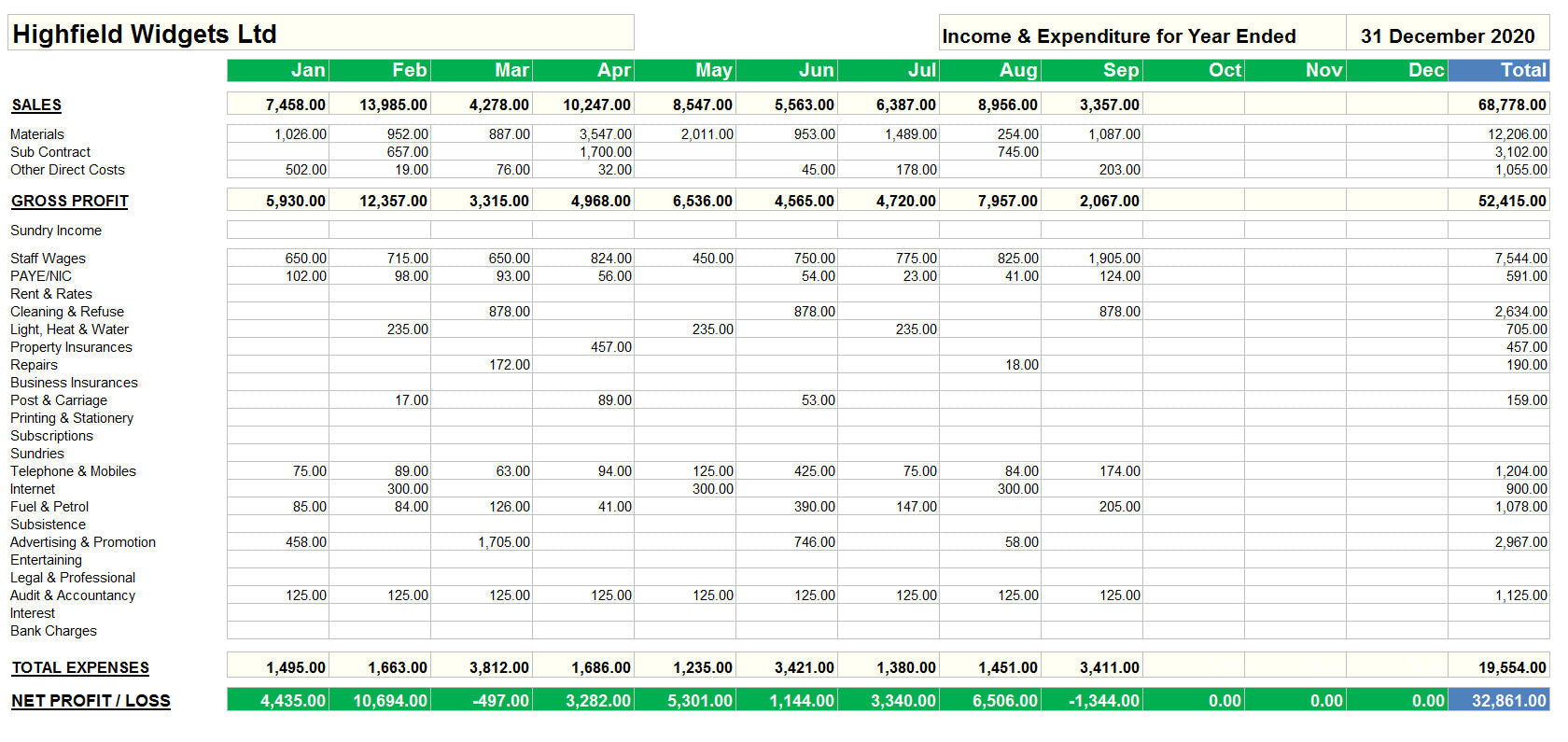
- Full sets of Management Accounts [both monthly and annually]
- Opening Trial Balance worksheet
- Ledger structure for Sales and Purchases
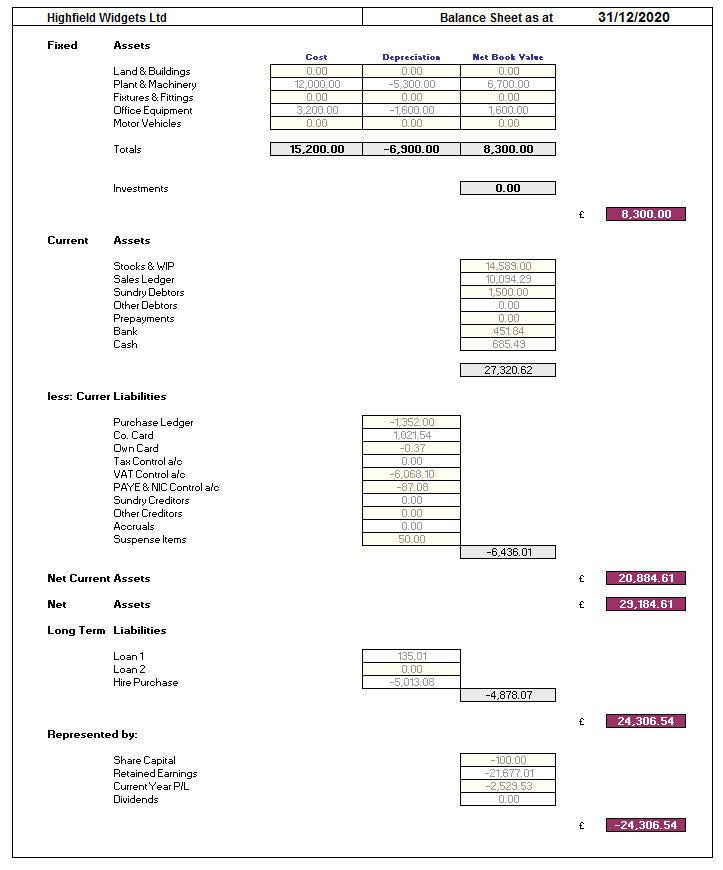
- Monthly and Annual Balance Sheet
- Invoice ‘matching’ facility
- Ability to change the N/L structure and add your 'own coding'
- Output to csv facility
Is this product right for me …
This is an ADVANCED Excel accounting spreadsheet template and is suitable for professional bookkeepers and accountants, and those individuals who have a 'solid grounding' in accounts.
So, if you are unfamiliar with terms such as ‘Trial Balances’ , ‘Prepayments and Accruals’, ‘Year End adjustment Journals’, ‘Reversals’ etc. then this product is NOT for you.
We have many accounting professionals who either ‘use the product for their clients bookkeeping', or who ‘set it up’ and give it to their clients to complete the day to day postings.
Either way you end up with a set of records in an understandable format, you can then make all the appropriate quarterly/year end adjustments and export the lot into your accounts production software.
This provides an EASY and EFFICIENT system that works for both client and accountant.
Let me outline 2 great possibilities for accountants ...
Solution 1 – You set it up and send it to your client
- Get your client ‘up and running’ – You enter the Opening T/B balances and ‘set up the Nominal’
- Sent the spreadsheet to your client – they enter the day to day data
- They send you the completed spreadsheet at the end of each VAT Quarter or Year End
- You review their work, make corrections, extract the data you need for Accounts preparation, tax and compliance
- Send it back to your client all completed.
- Repeat the process for the next year
Solution 2 – You do the set up and input the data
- You enter the Opening T/B
- You set up the Customers and Suppliers
- You enter the monthly data
- You produce the Monthly Management Accounts
- Your prepare and submit [MTD ready] VAT returns
- You perform the Year End adjustments and journals
- You send the completed accounts to your client
- Repeat the process for the next year
here are some important facts about the software ...
This product comes in 3 versions and is suitable for both VAT and Non VAT Registered Sole Traders, Partnerships, Clubs, 'Not for Profit Organisations' and Limited Companies.
To help you make your mind up please review the system notes and screen shots below.
We believe that there is no comparable Excel based small business software that offers so much at this price.
To use this software you must have the full Microsoft Excel Software Version 2010, 2013 or Office 365 installed.
[Not the Starter Editions or Open Office equivalent]
This product is sold on an Annual Licensing Agreement. A new licence is therefore required for each year of use.
If you have any doubts about the suitability of the software for your business, or if you have any other questions,
then please email us at support@MrSpreadSheet.co.uk
let's have a detailed look at what the product offers
Software Design and Features
The Professional Range of our Excel Accounting Spreadsheet Templates is designed in Monthly format.
Starting at Month 1 you have 12 identical worksheets covering your Accounting Year.
Each worksheet records ALL your business transactions for that month.
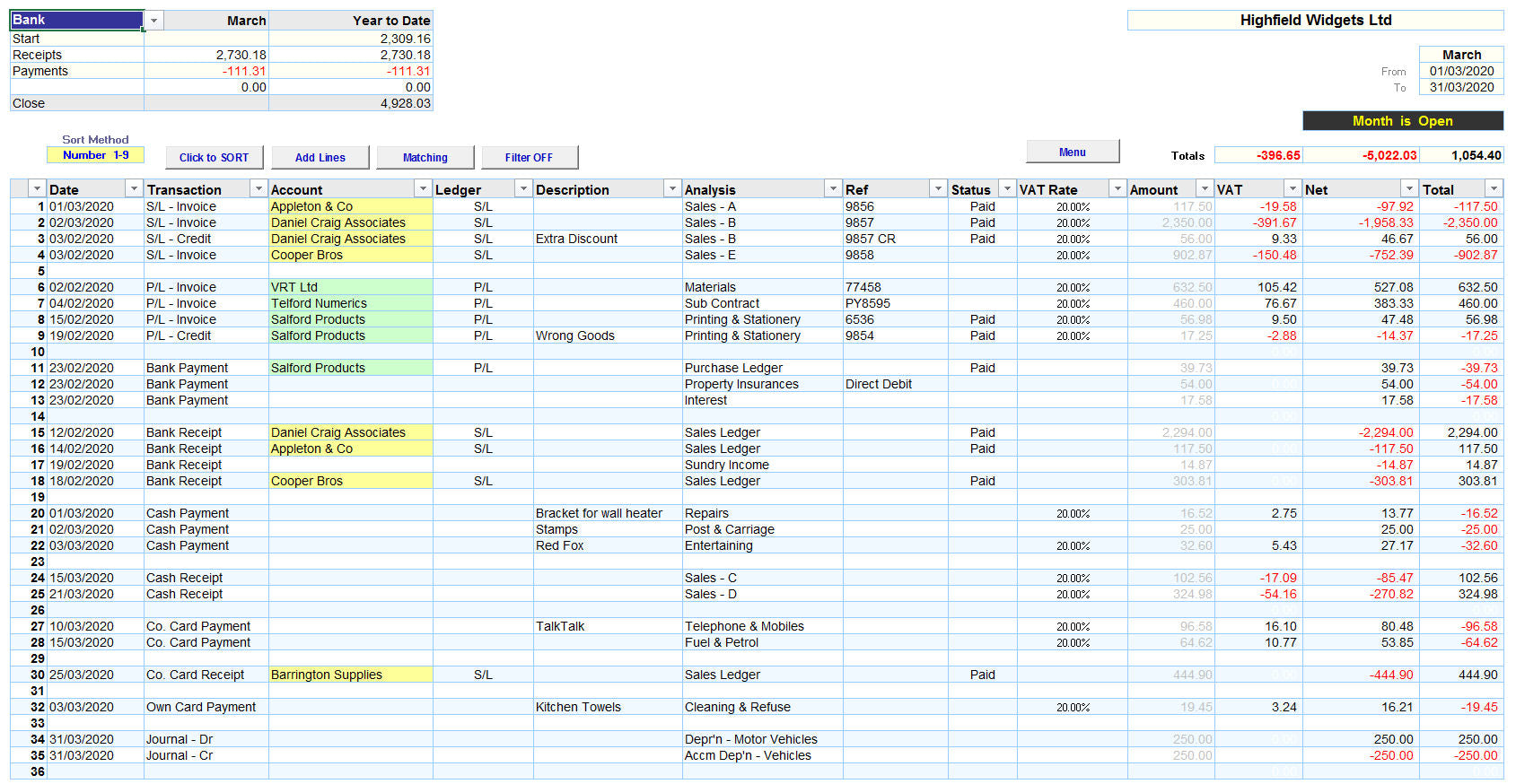
This is what your Monthly worksheet looks like.
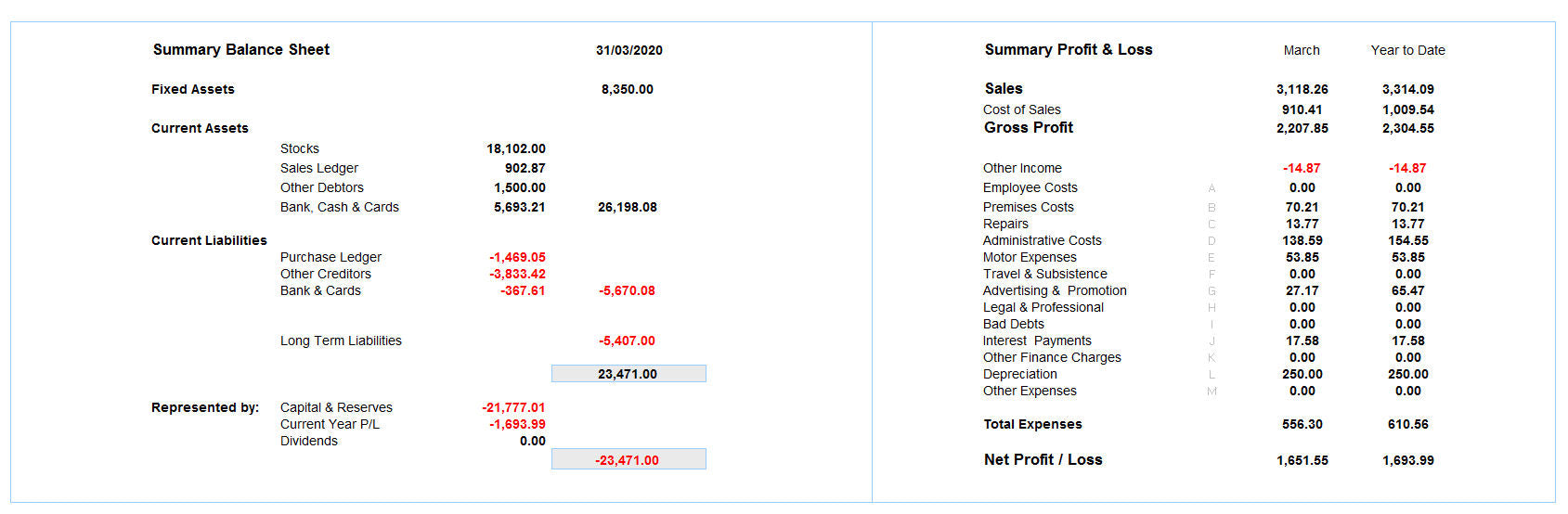
It is separated into a Header Section, followed with the Data Input Section
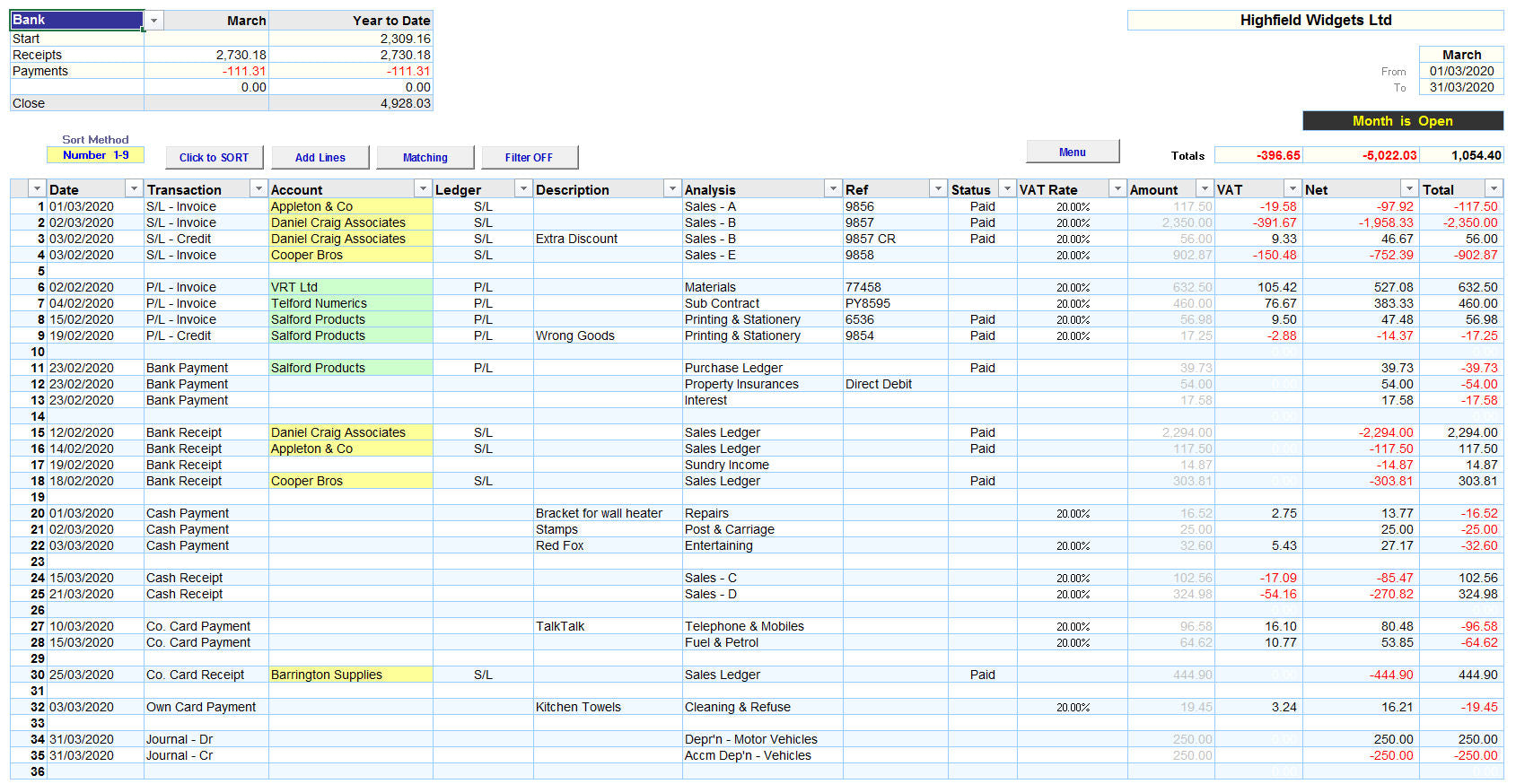
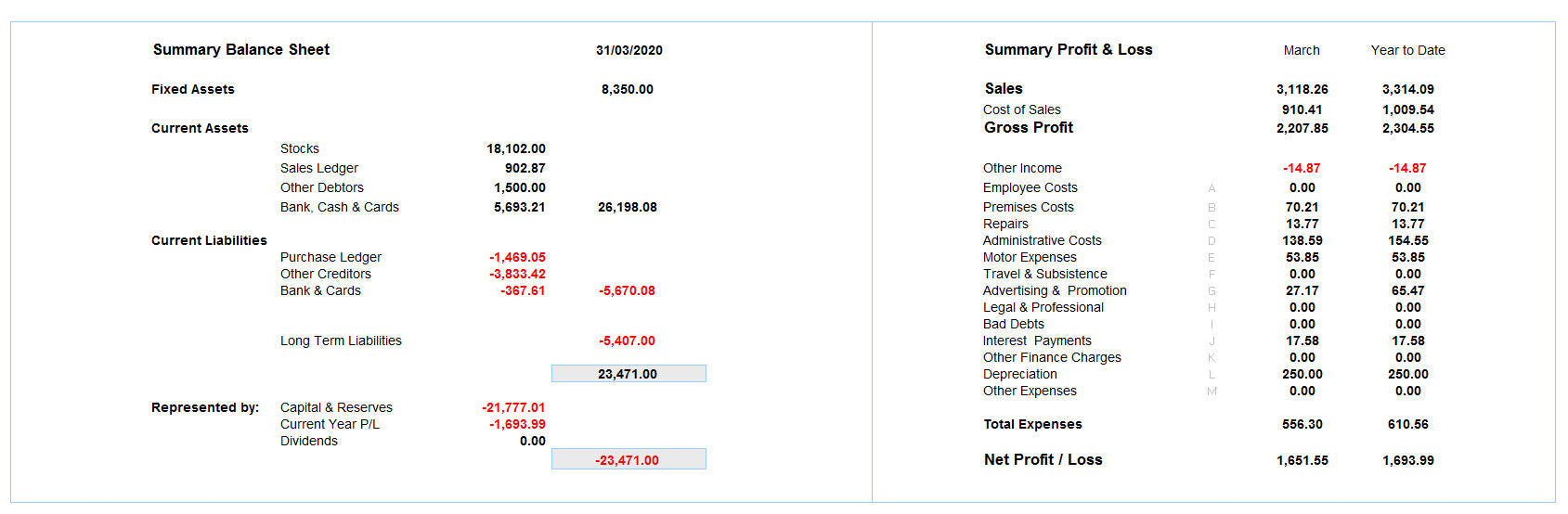
and ends with a Monthly Summary Section.
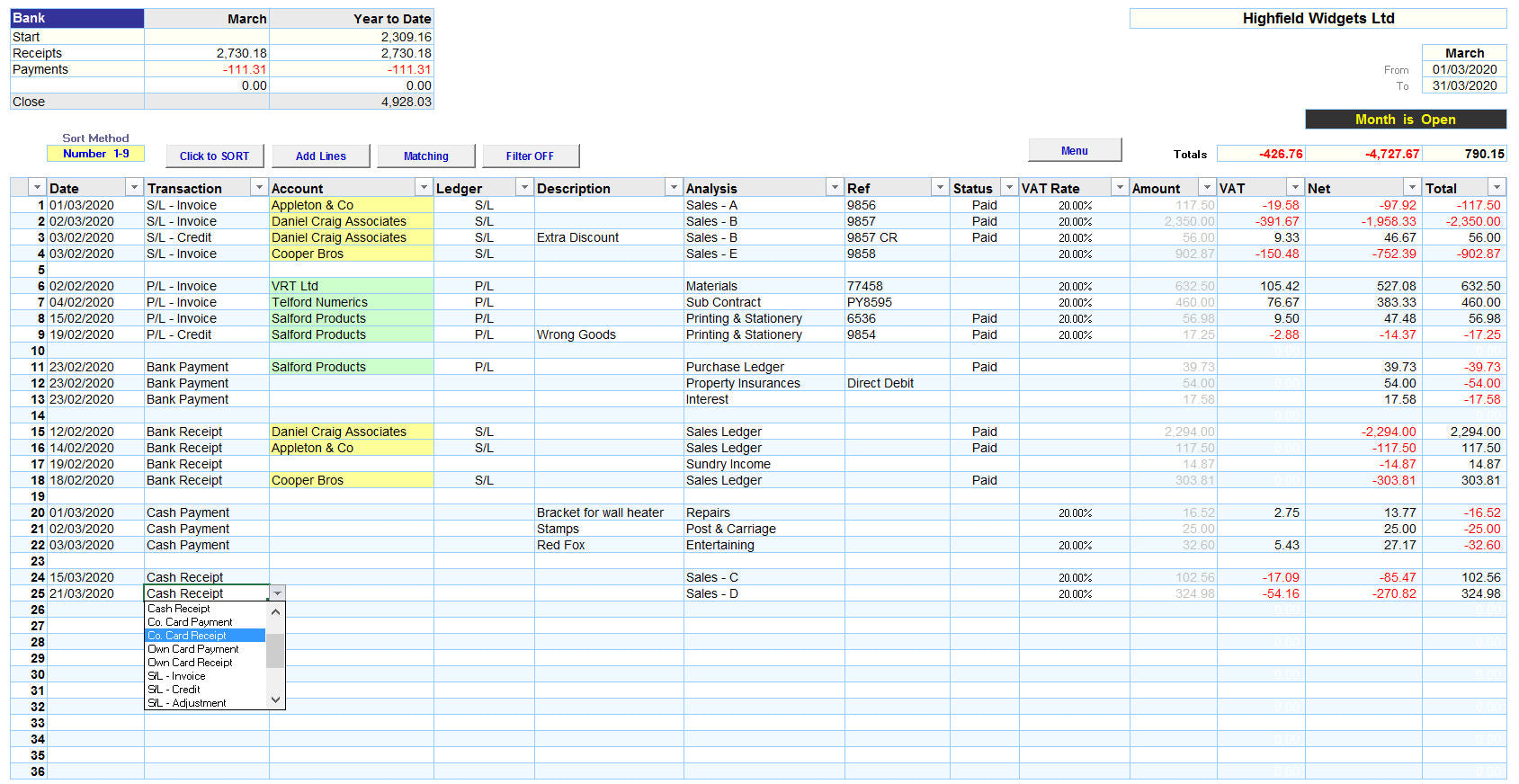
The system uses a combination of Drop Down Boxes to make data entry simple and error proof.
Each monthly worksheet caters for ALL your transactions; the software allocates one line to each entry.
You select the appropriate transaction type from the Drop Down Box and then complete the line.
Your data is coded to conform to HMRC formats, you select the appropriate analysis from another Drop Down Box and the software completes the posting. Thus eliminating the potential for errors.
VAT is calculated automatically based on the VAT Rate selected. You have the ability to overwrite the automatic calculation if necessary.
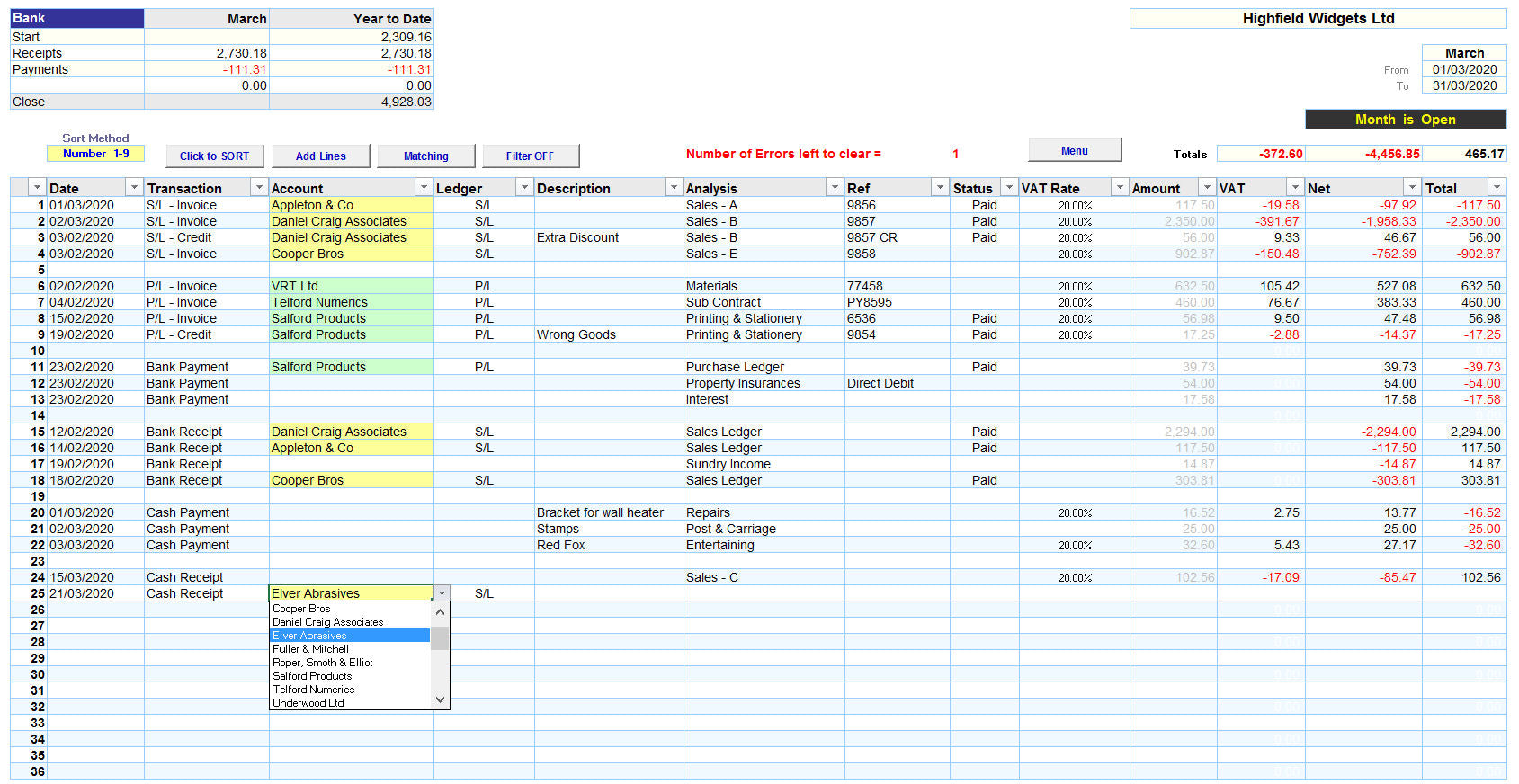
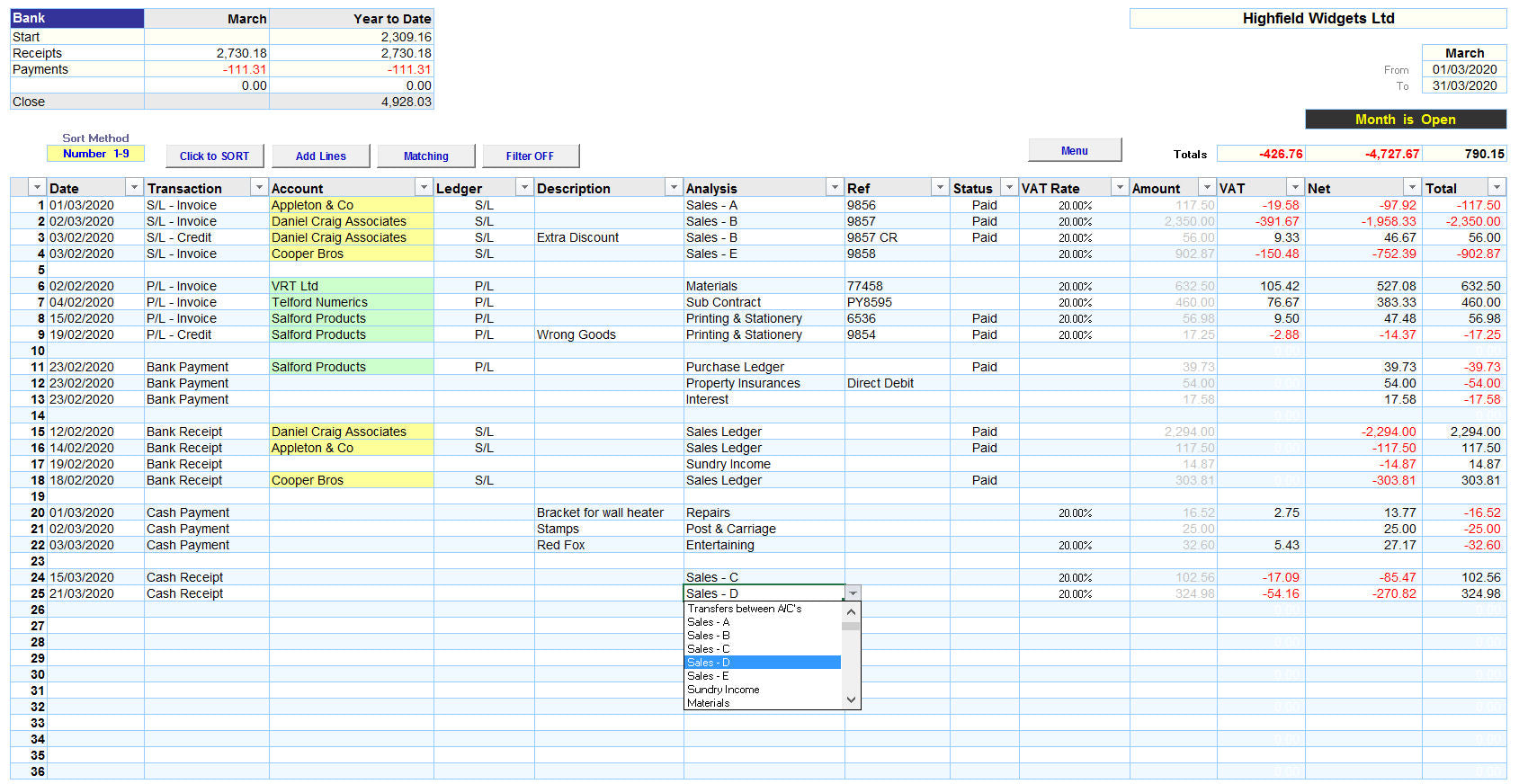
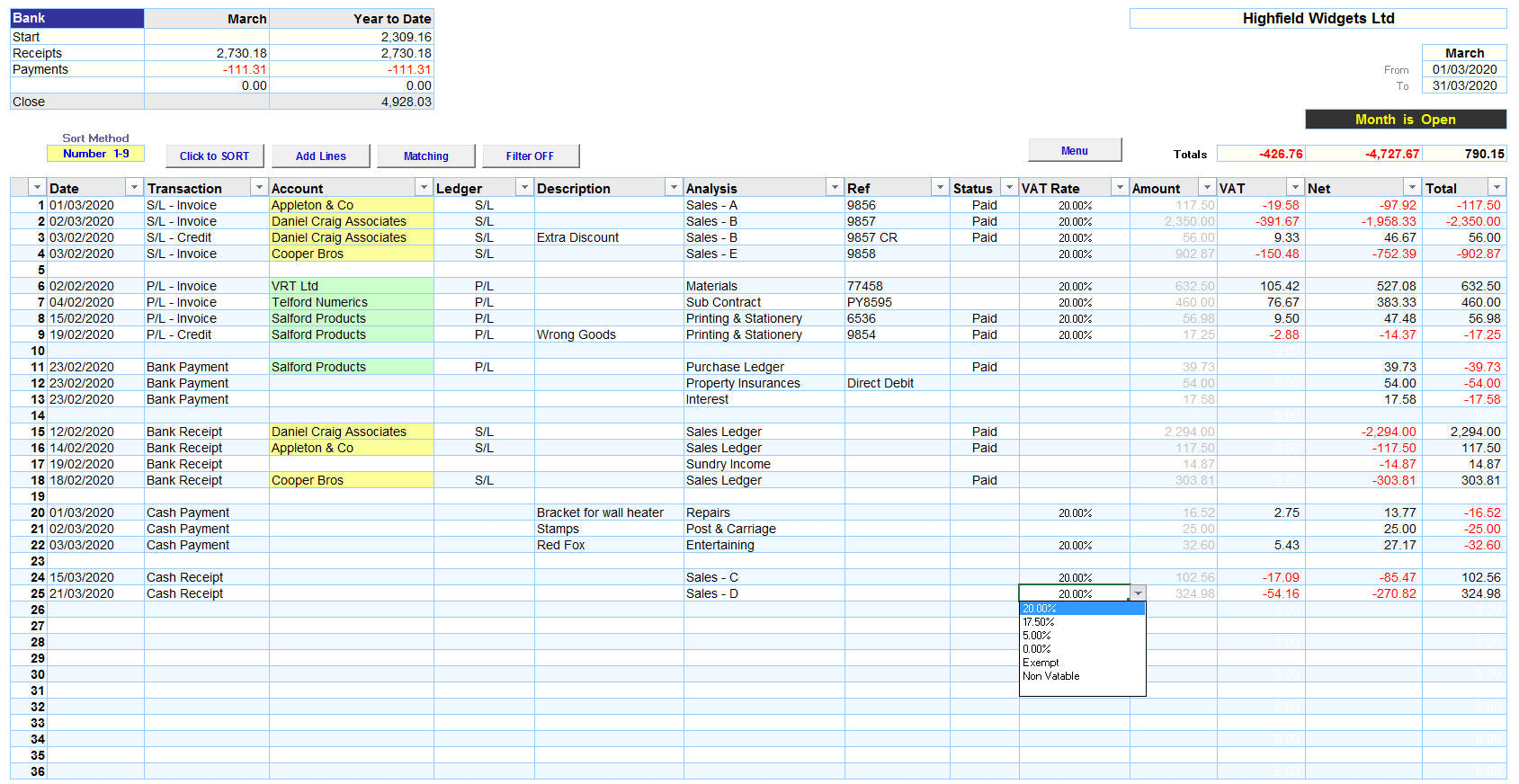
The following 4 screenshots show this process.
1. Select your Transaction Type
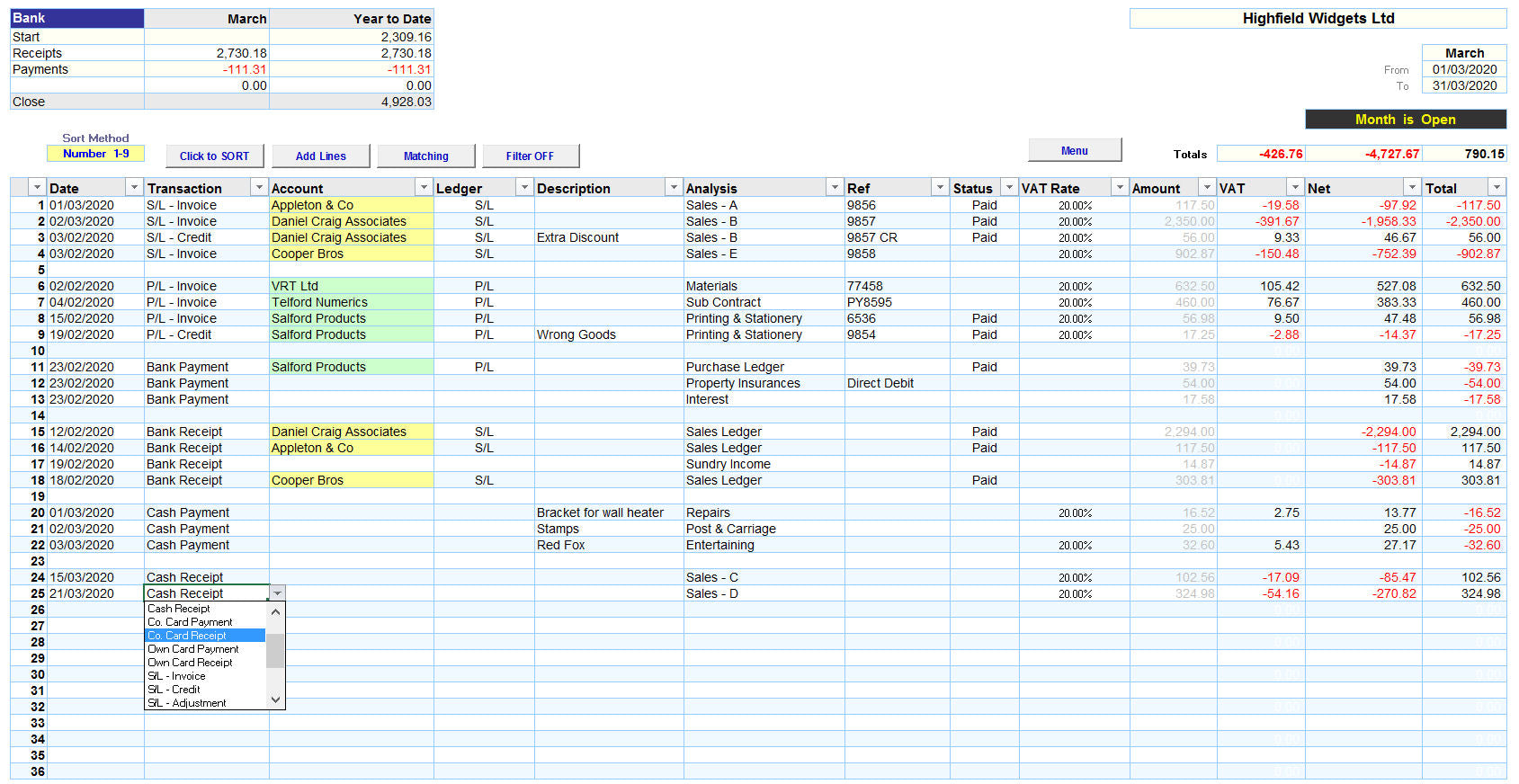
2. Select your Customer or Supplier
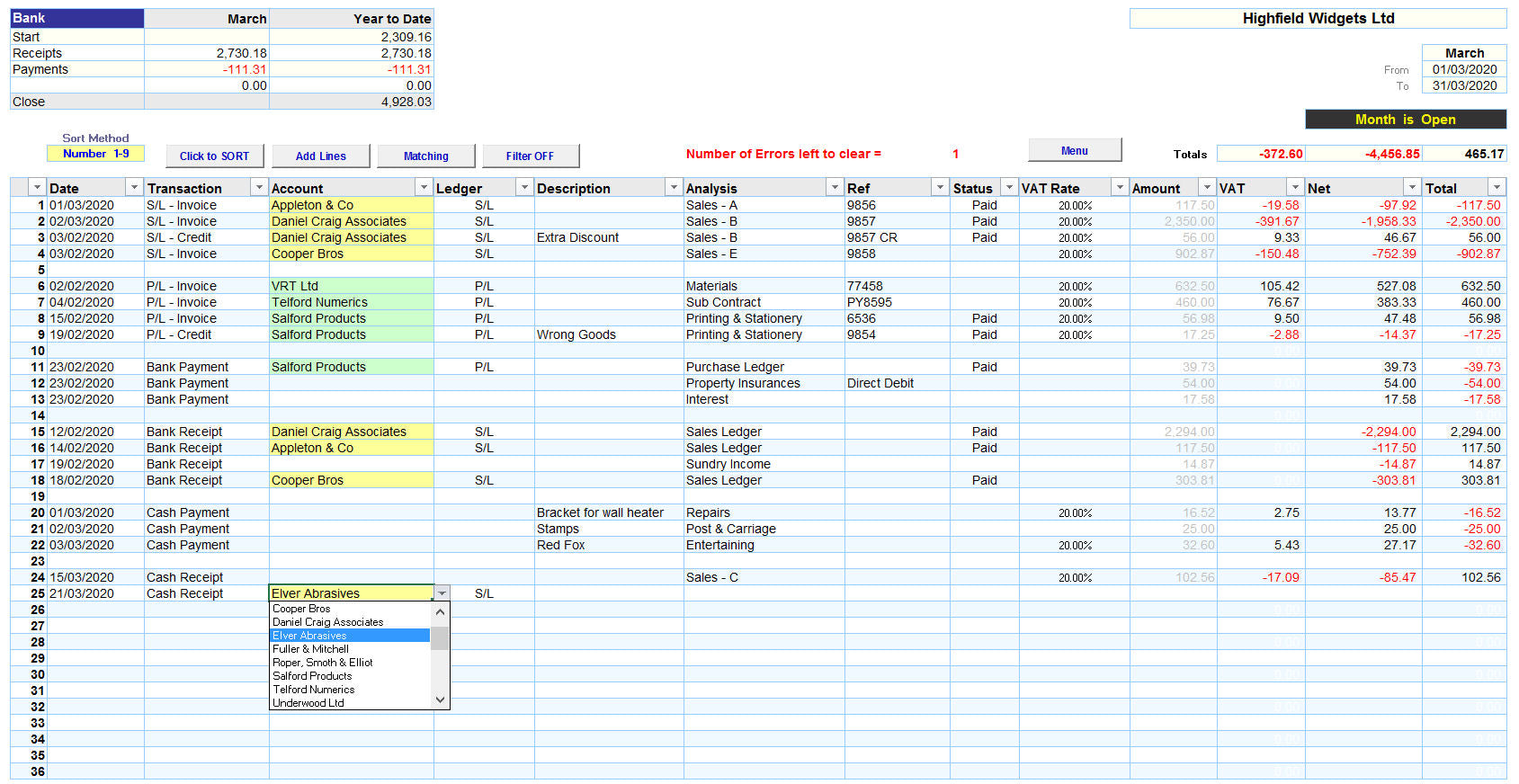
3. Select your Analysis Code
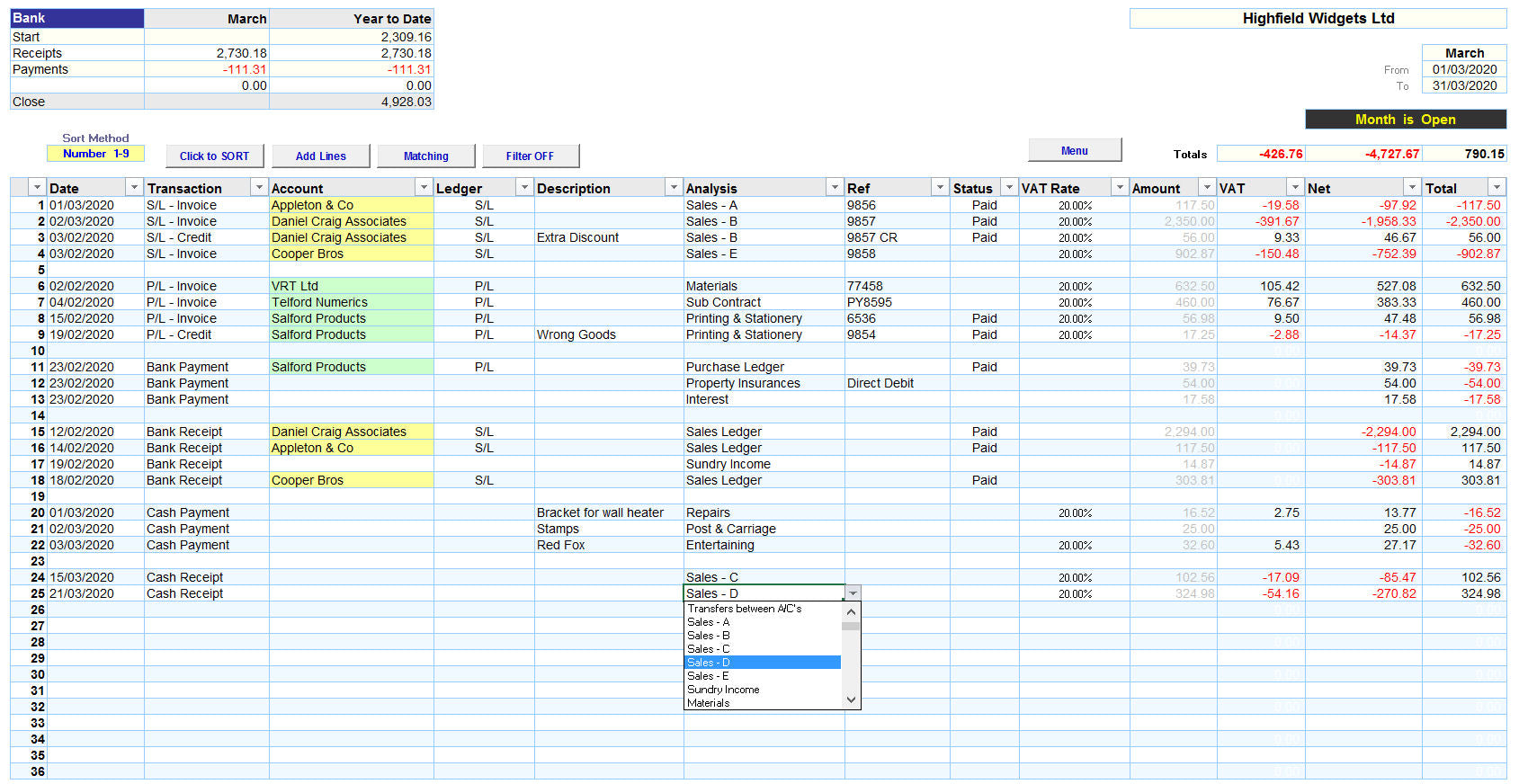
4. Then select your VAT Rate
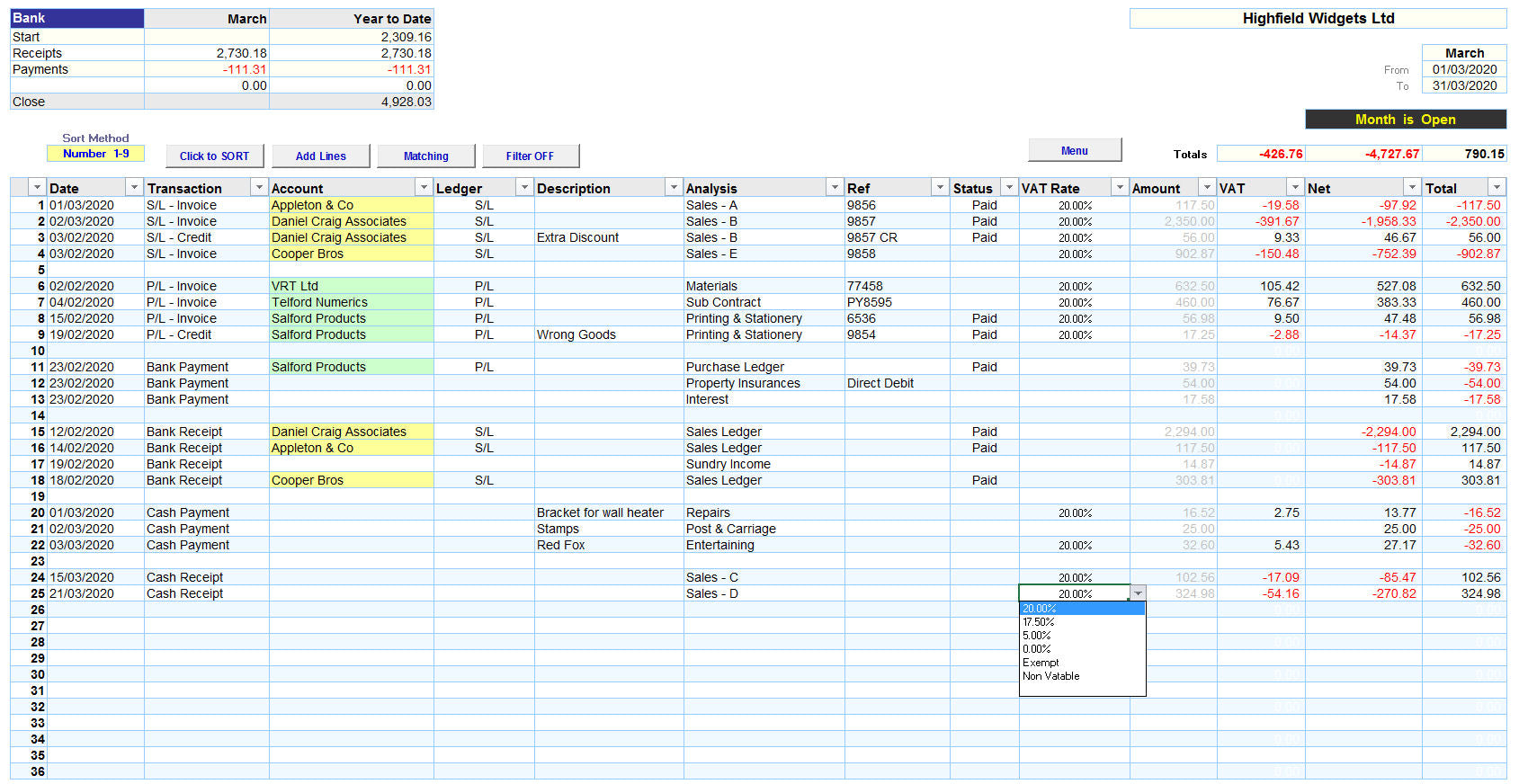
On each Monthly worksheet you can perform selective Sort routines and use Excels 'Filtering' tool to perform advanced analysis of your data.
Once each line has been completed the software uses Excels powerful formulae to update the following 7 Reports:
1. the 12 Month Profit and Loss Report

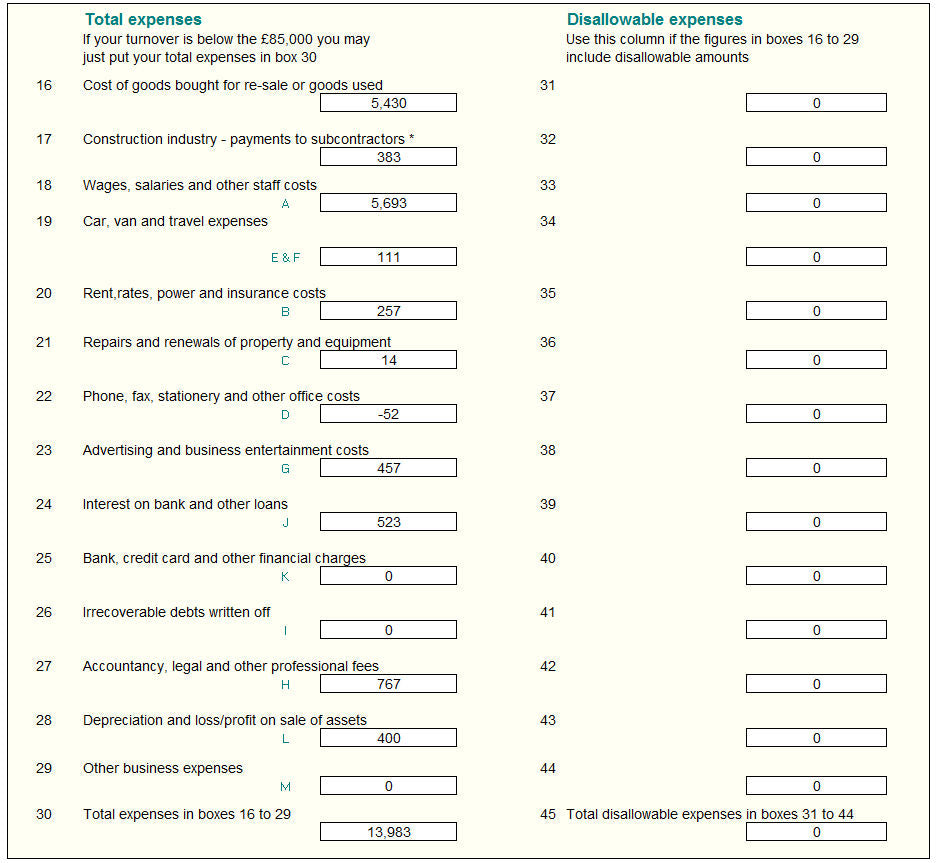
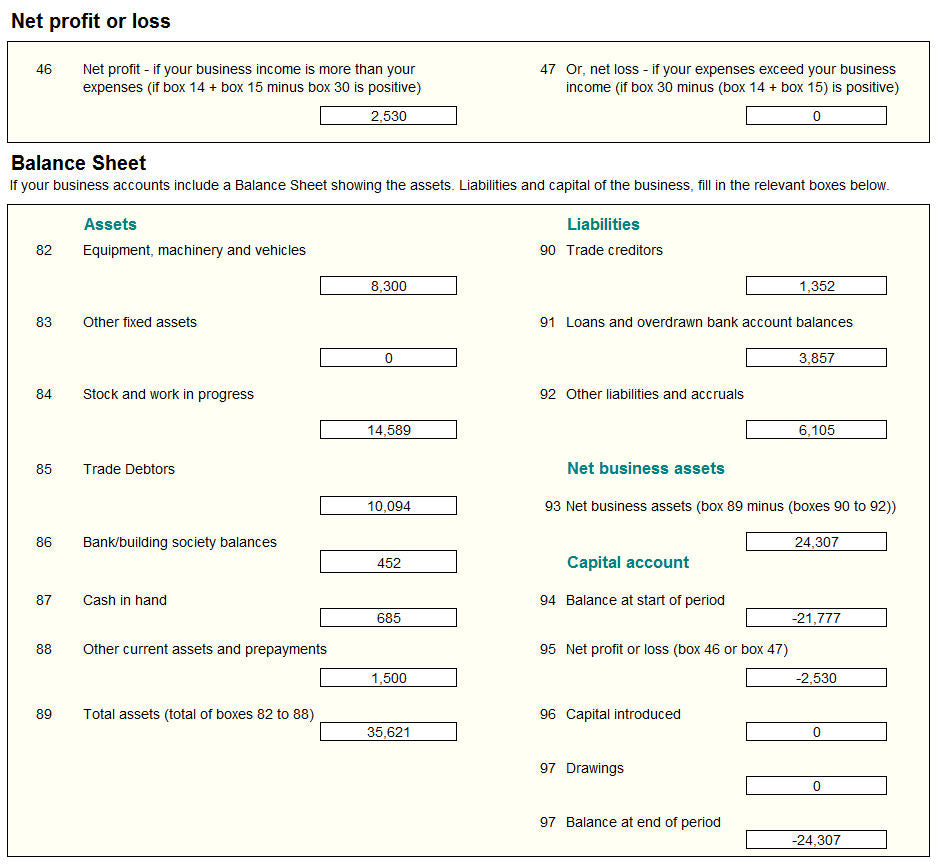
2. the Balance Sheet
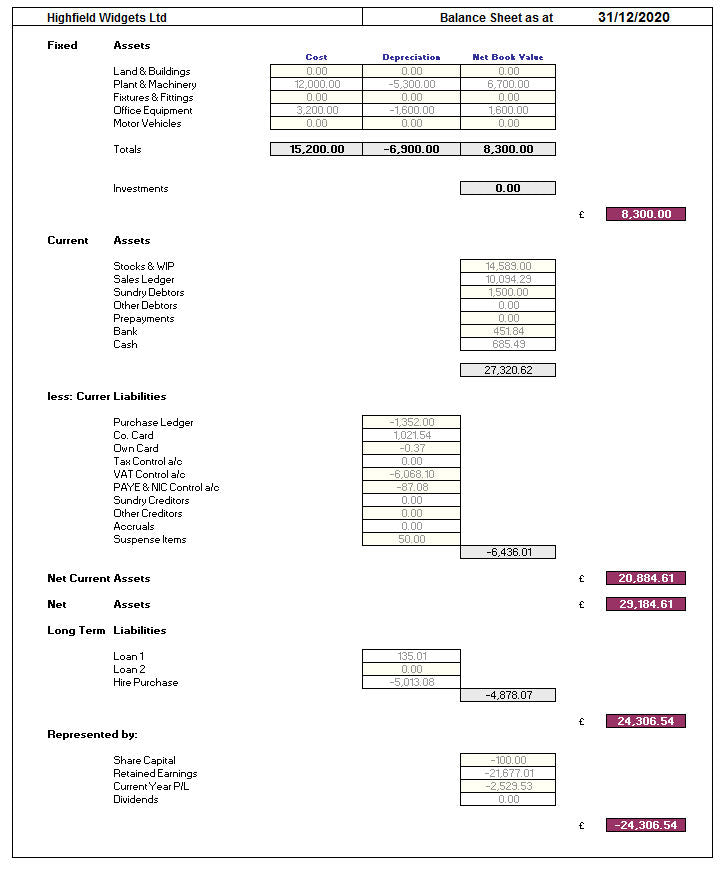
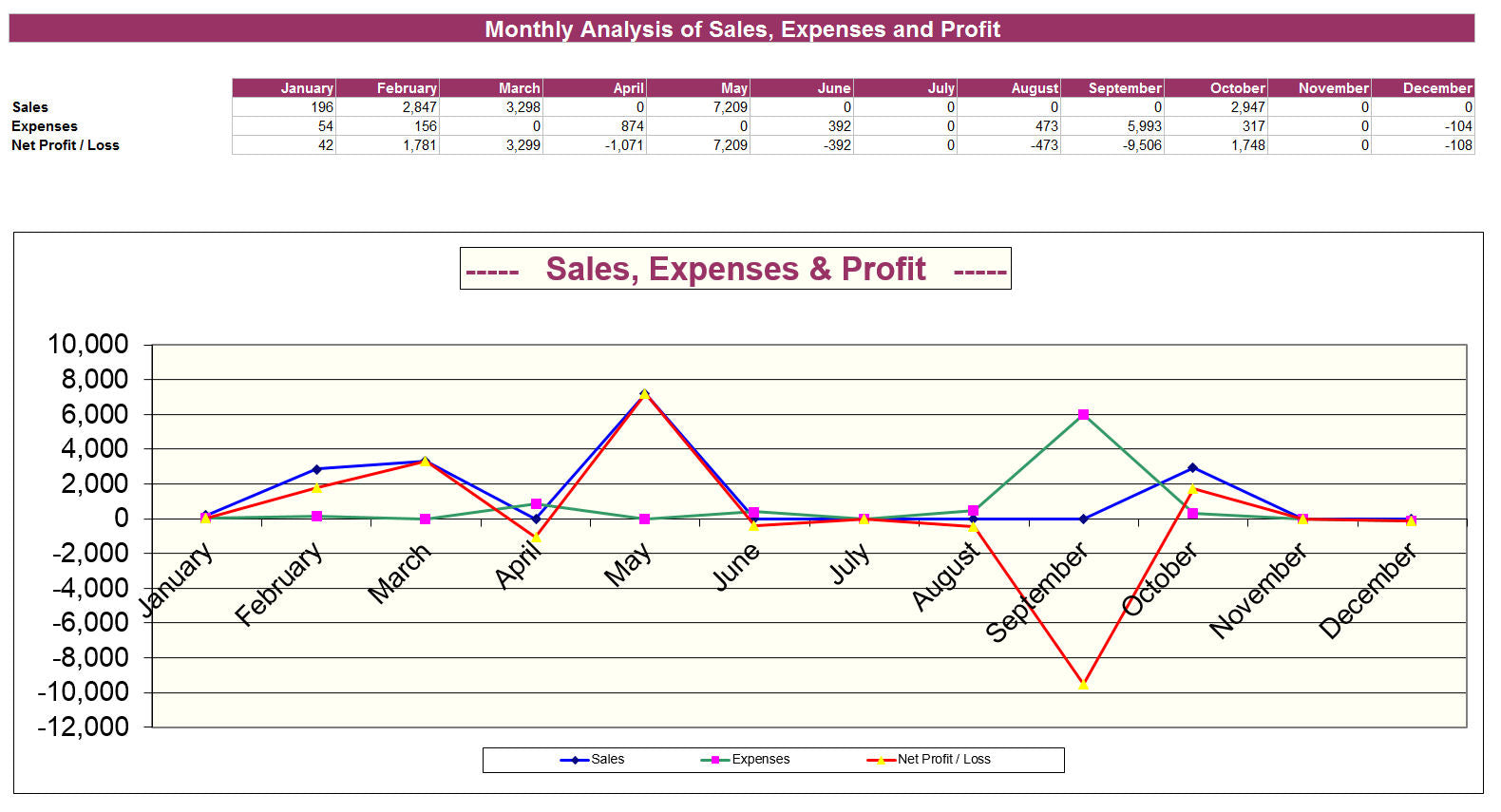
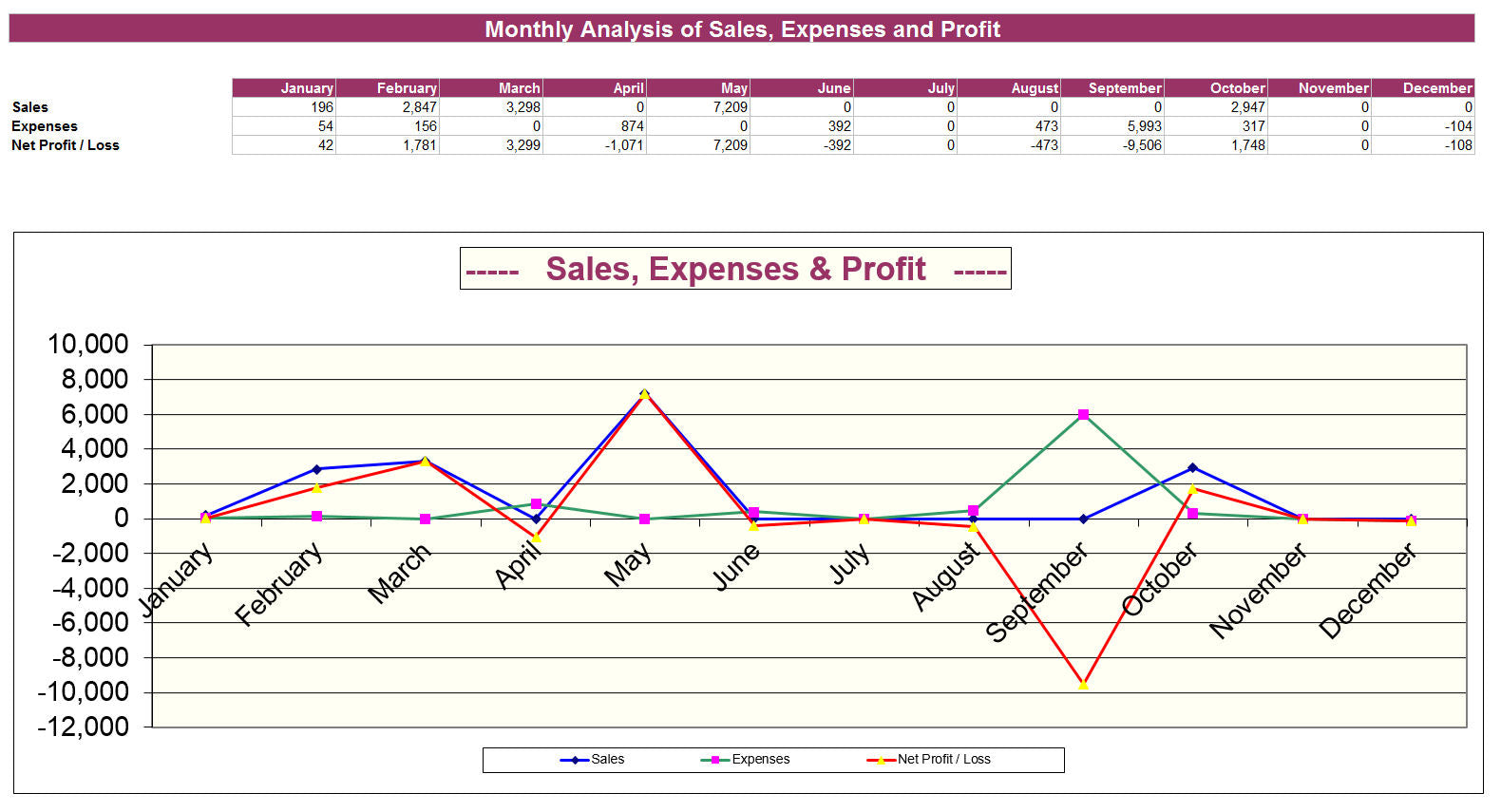
3. the Monthly Profitability Summary and Graph
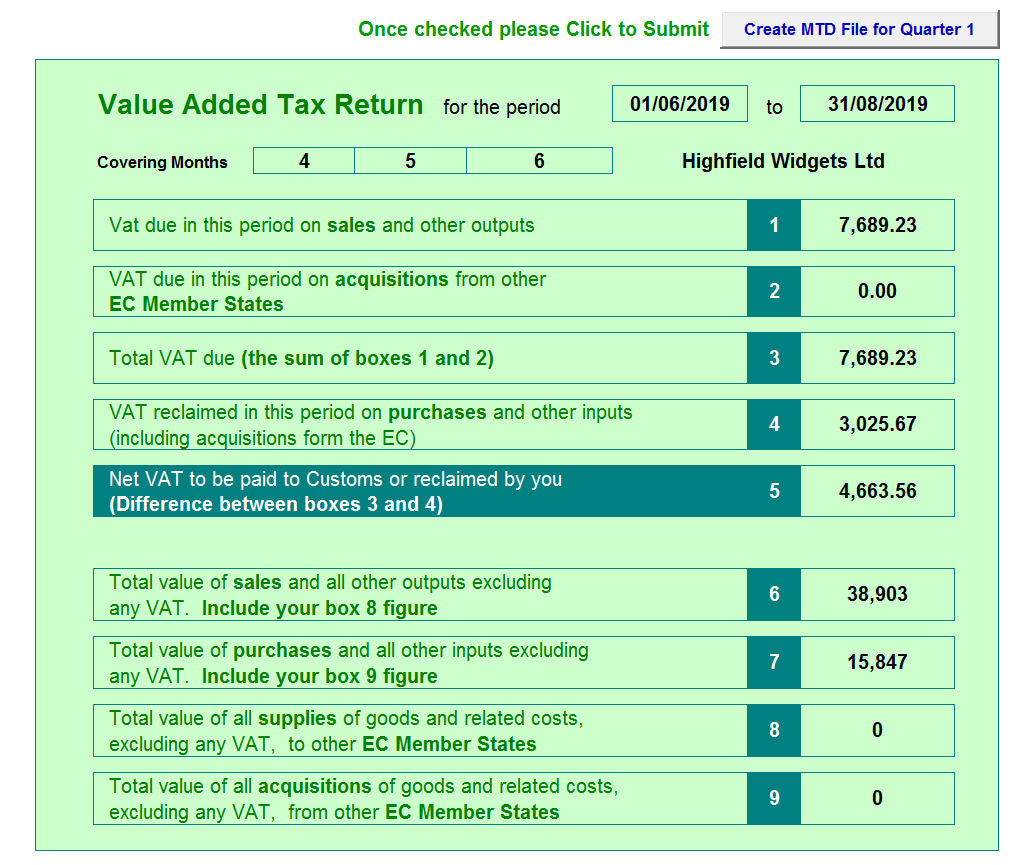
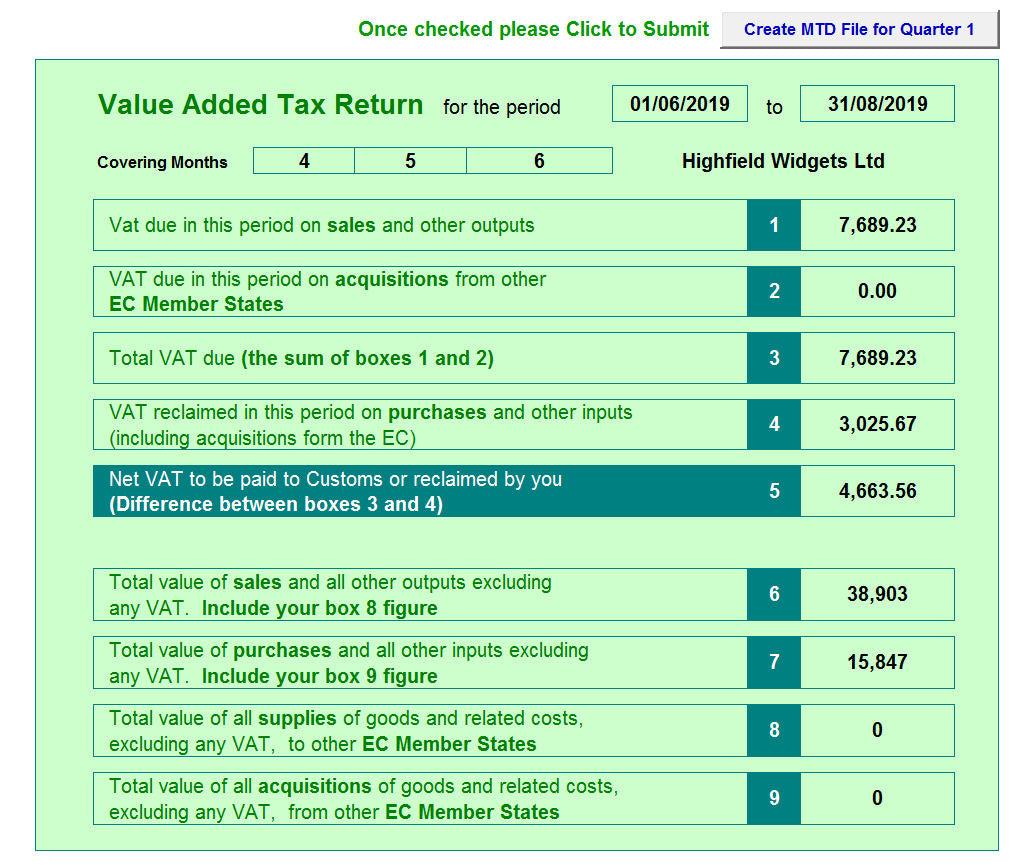
4. the VAT Returns - Making Tax Digital Ready
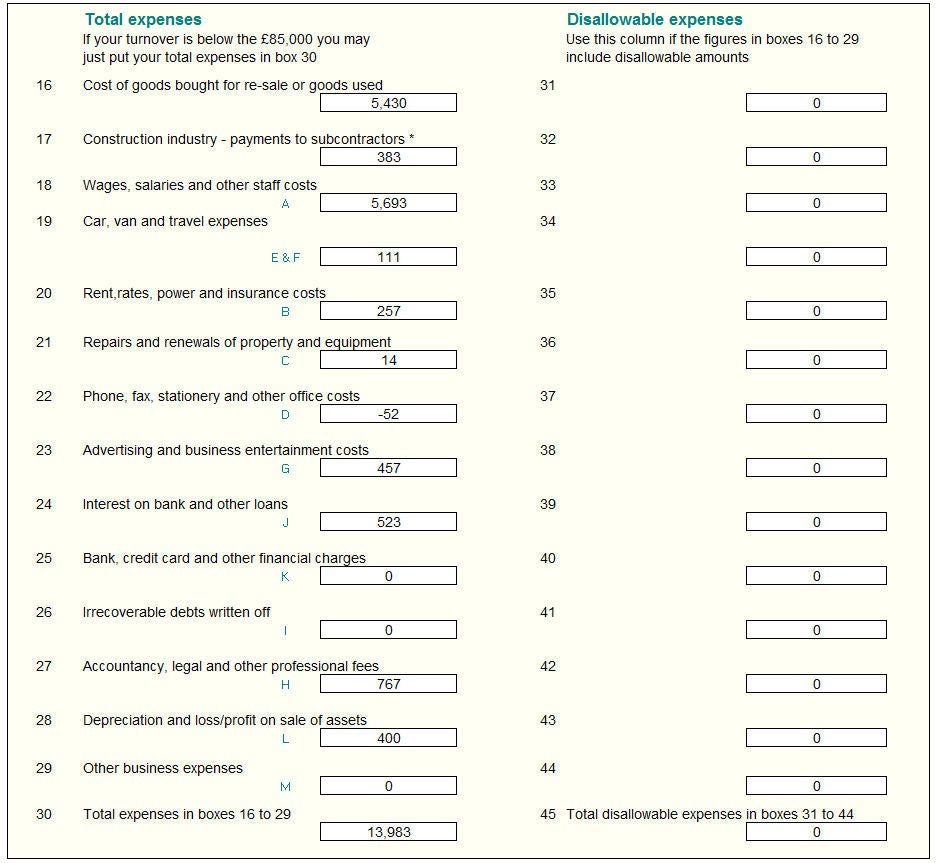
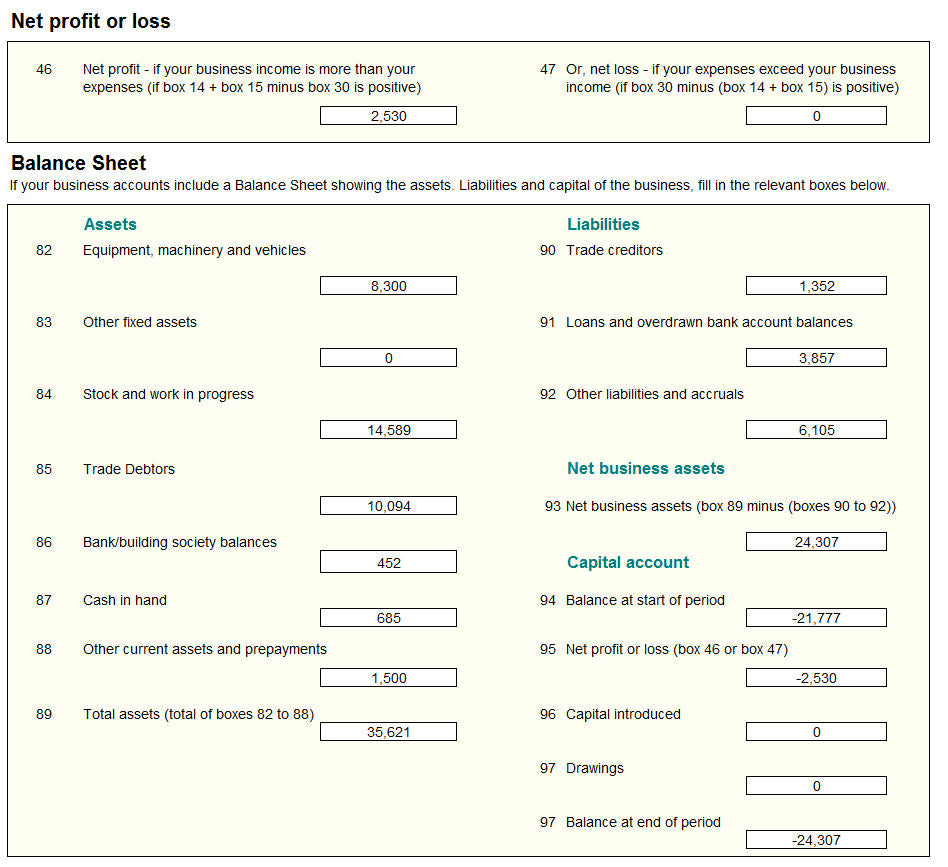
5. the SA103 Business Income Tax Returns

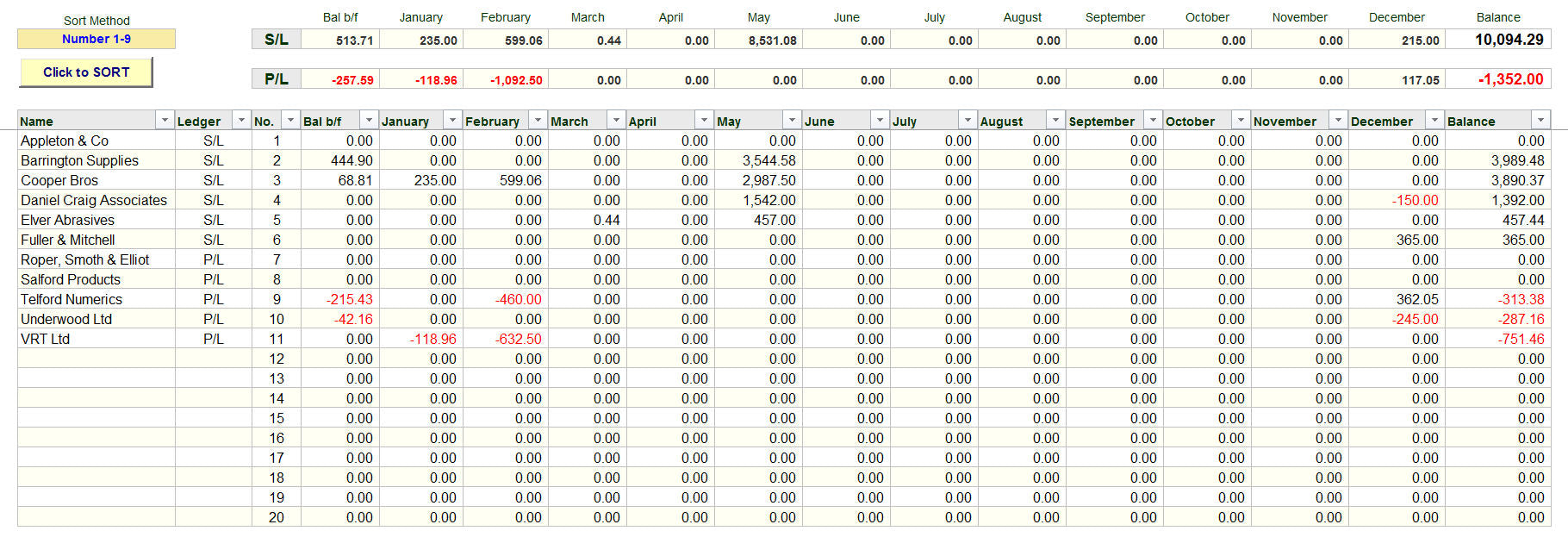
6. your Customers and Supplier balances
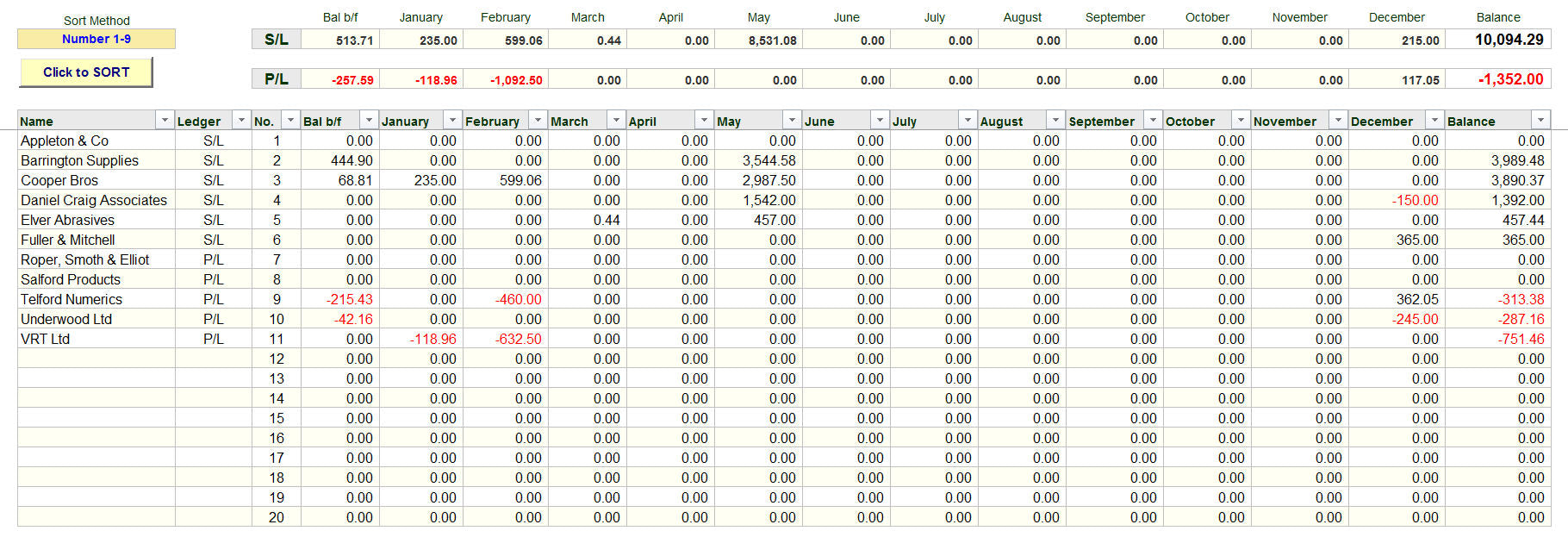
Thus ensuring that your accounts are both accurate and up to date.
The software also automatically completes other tasks which provide the following:
- A Consolidated Year's Data worksheet
- A separate worksheet that shows ALL of the years transactions on ONE worksheet
- A special report for your accountants which will allow them to easily upload your data into their systems
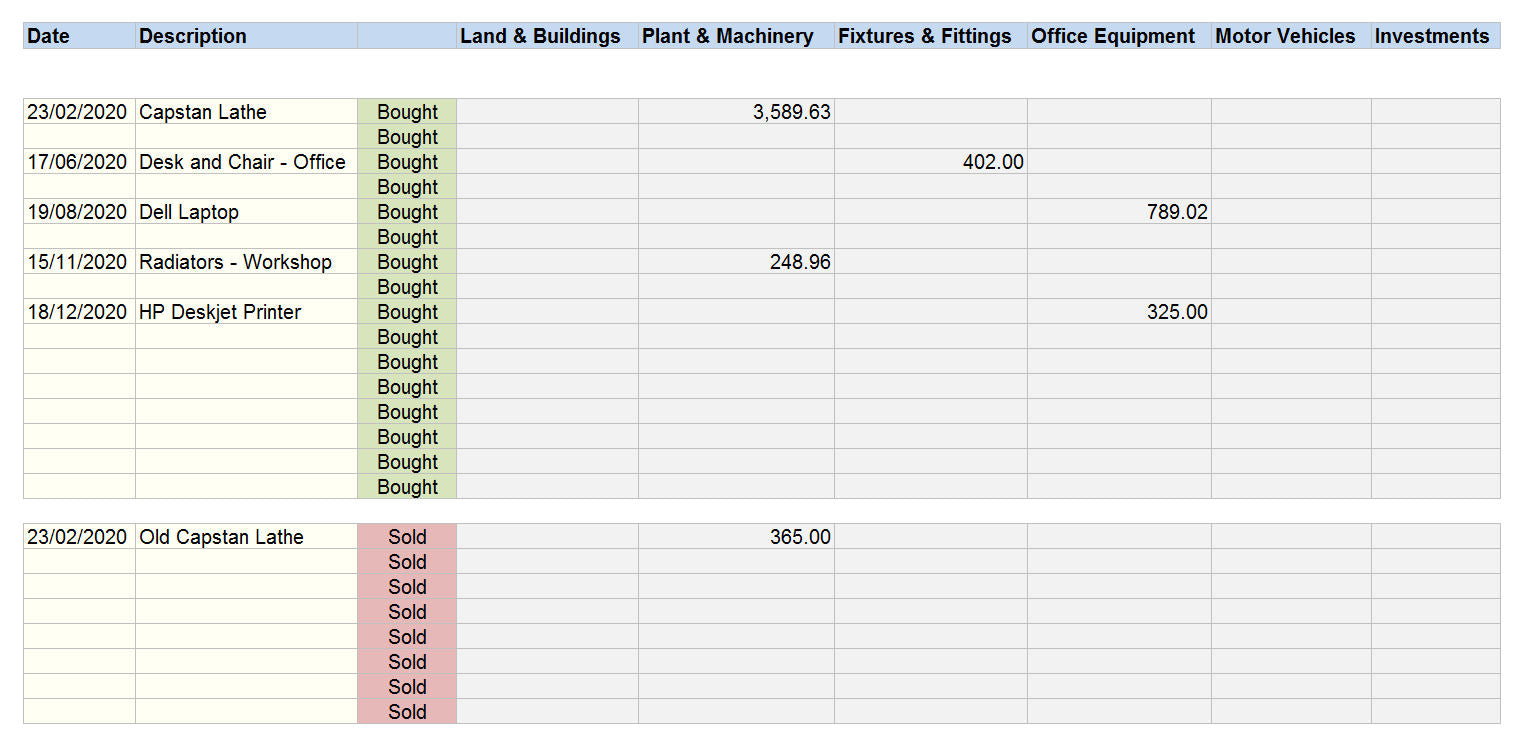
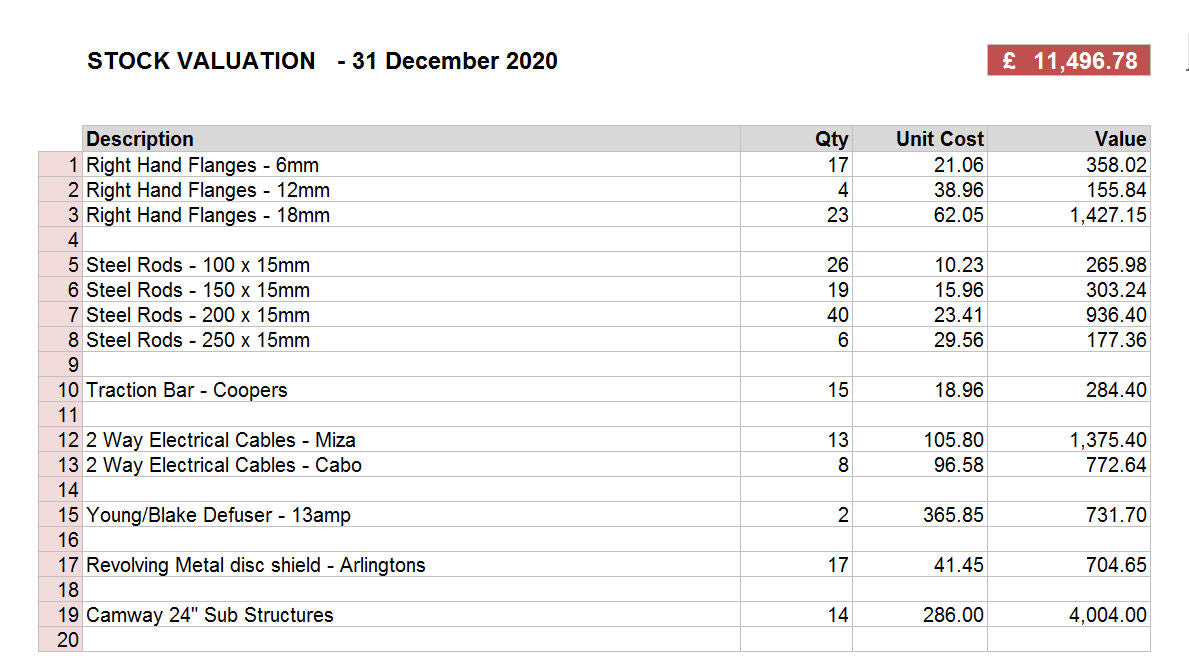
Finally the system provides you with 2 additional worksheets for you to record other financial data for 'Year End' purposes.
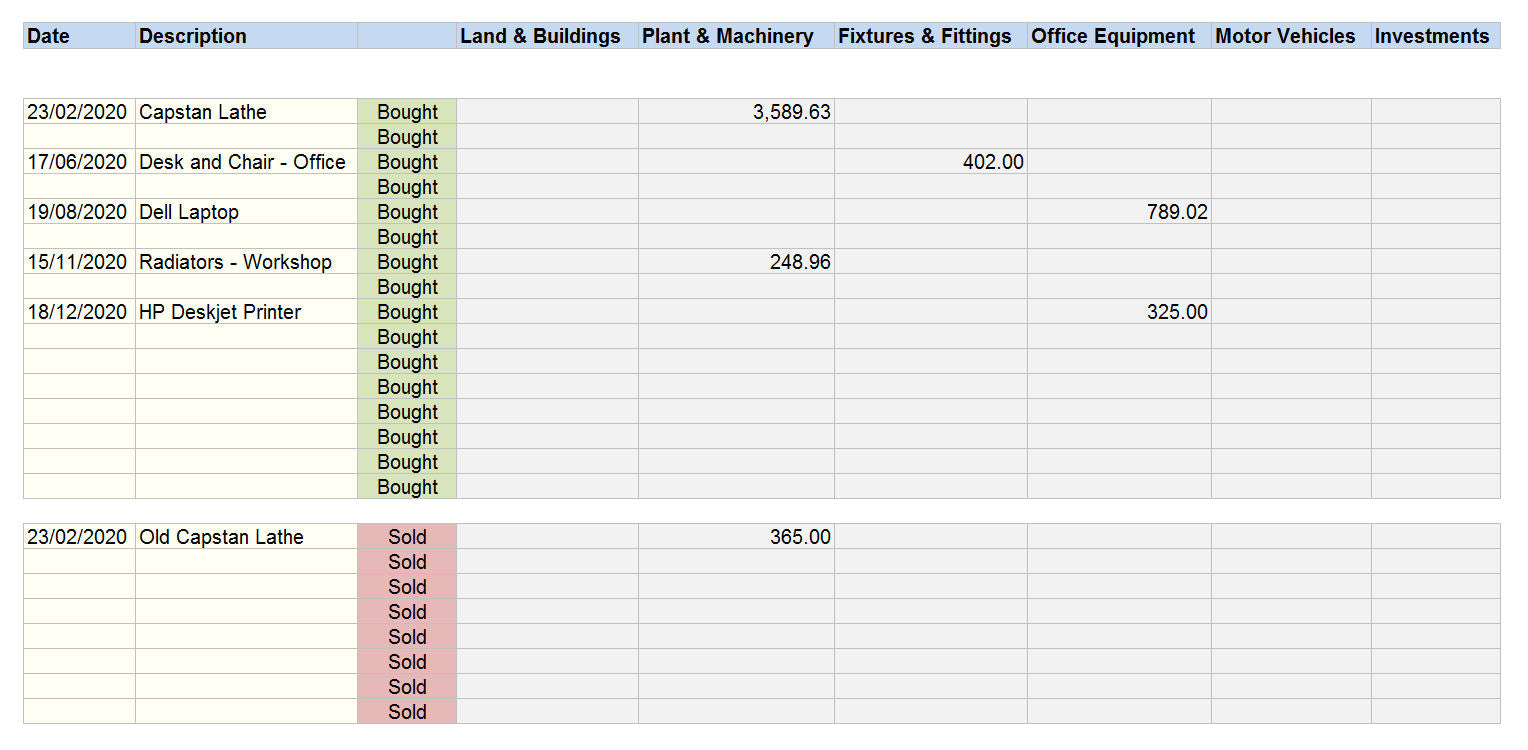
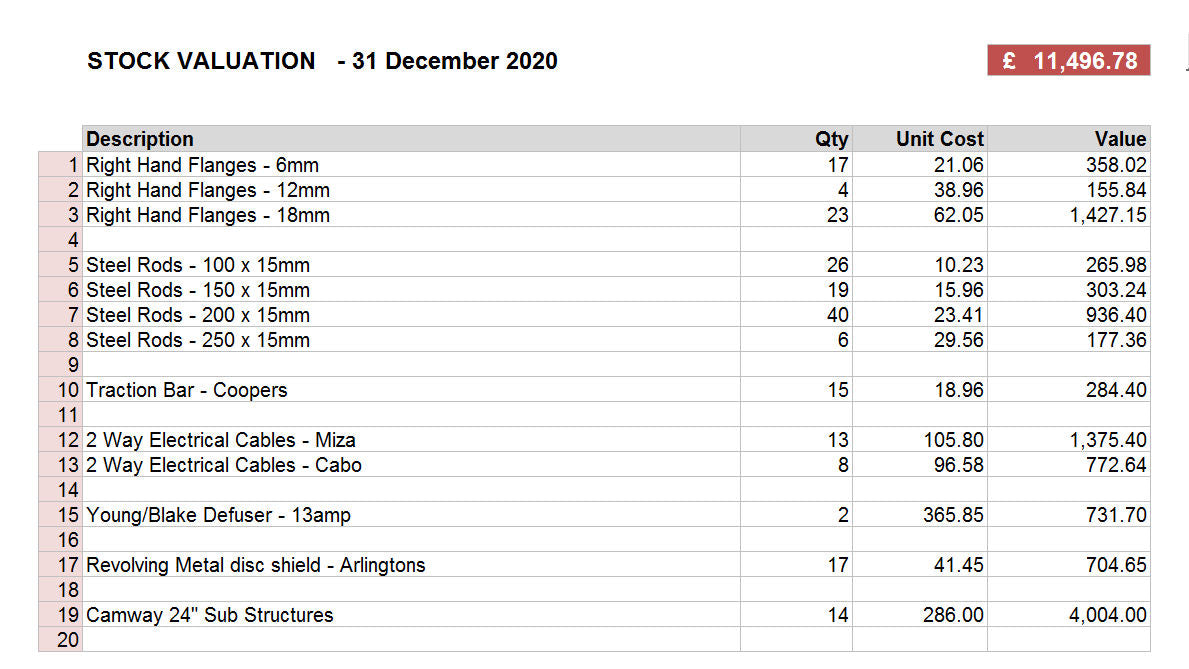
(1) A Fixed Asset Schedule
(2) A Year End Stock Valuation Schedule
Set Up, Year End and Backups
Many people are rightly concerned about how to Set Up accounting software and are concerned about how to complete the Accounting Year End procedures.
The Professional Accounting Spreadsheet Templates manages this with ease.
To Set Up your accounts you just follow the Step by Step guide and fill in the relevant information in the various worksheets.
It should take you no more than 15 minutes and then you are ready to go.
At the Year End you need to supply your accountant with additional information, the system notes will guide you effortlessly through providing details of Assets, Year End Debtors and Creditors, Bad Debts and Depreciation.
We have not forgotten the importance of data security; the User Guide provides comprehensive details on how to take regular backups of both the software and your data.