


Timesheet Spreadsheet Template for Business
Manage your Weekly Time Schedule
Regular price
£59.99
£49.99
Sale
Weekly Time Sheet Spreadsheet with Costing Structure and Analysis for Job, Tasks and Rates
This comprehensive weekly time sheet gives you a complete analysis of your working week.
You can break down your activities into two definable levels, the first level we call Jobs and the second level we have called Tasks.
Within these two levels you can create pricing/rates structures (together with Overhead Absorption Rates) to suit your business need.
This enables you to maintain a complete record of your working schedule, analysed by Time, by Cost/Price and by Overhead Recovery.
The system is flexible and easy to use and comes with a comprehensive guide and free 14 day email support.
Please view the screen shots below:
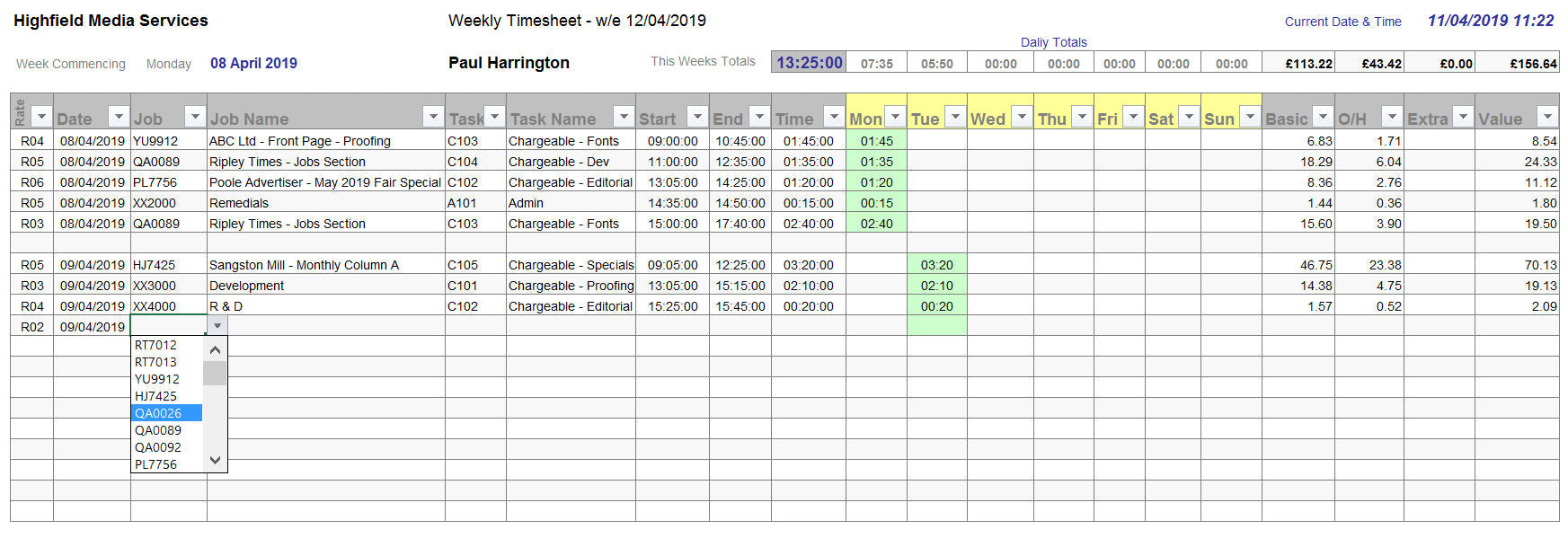
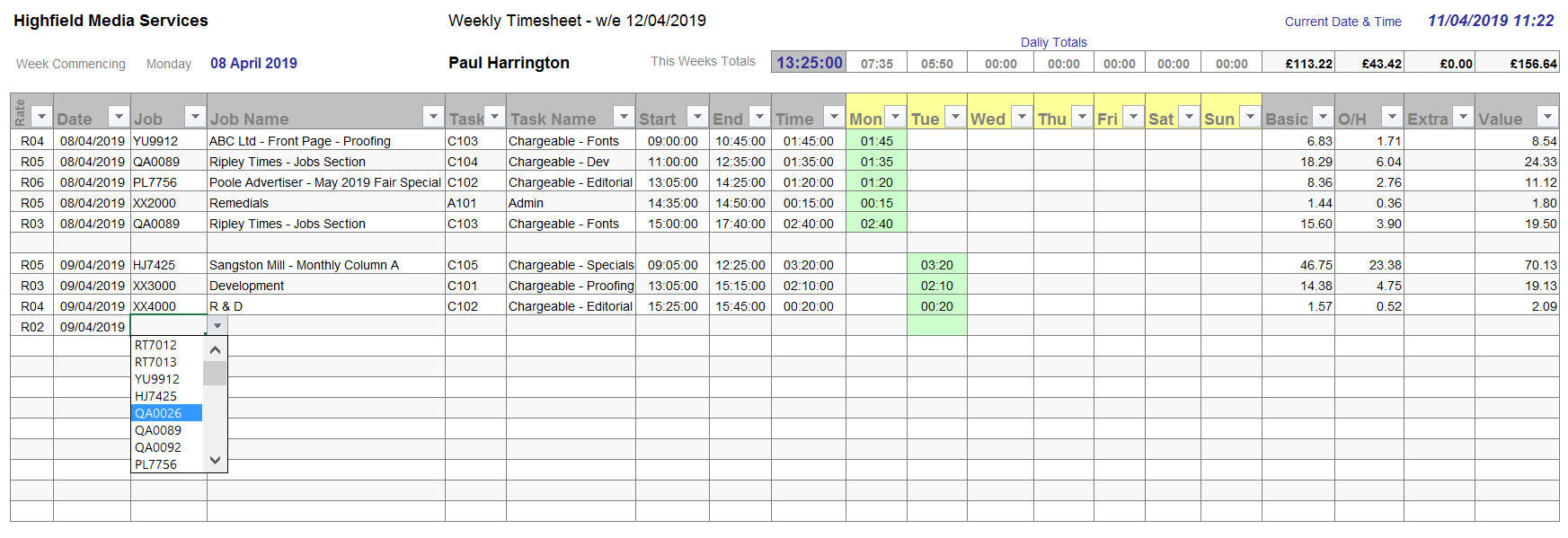
THE TIME SHEET
By using a series of drop down boxes you simply select the Rate, Job and Task you are working on. Then you enter your Start and End times.
The software then automatically populates your daily and weekly schedule.
These time periods are simultaneously matched with your Tasks and Rates values to complete the Cost/Price of your work.
Using the Excel Filtering tool, you can perform comprehensive sorting and analytical routines.
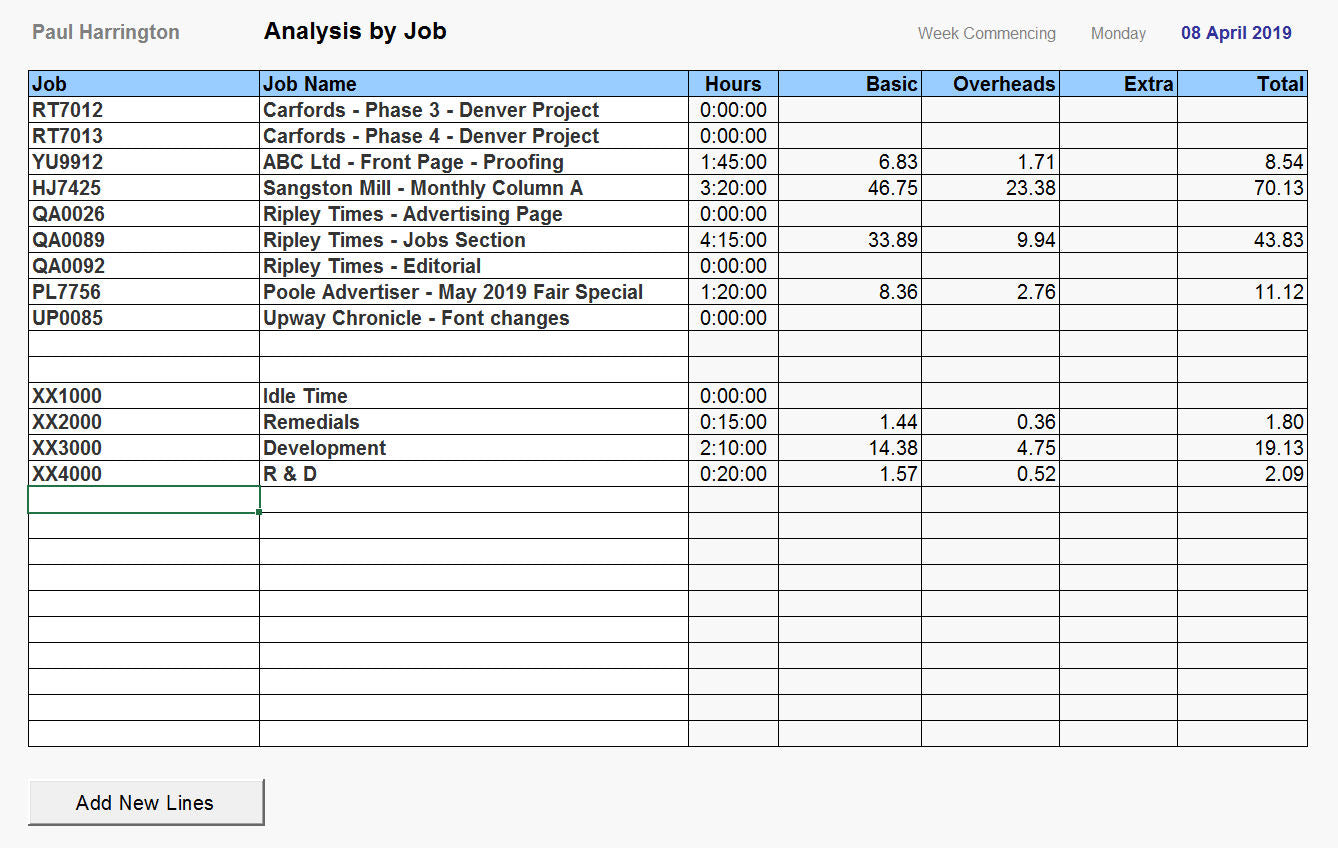
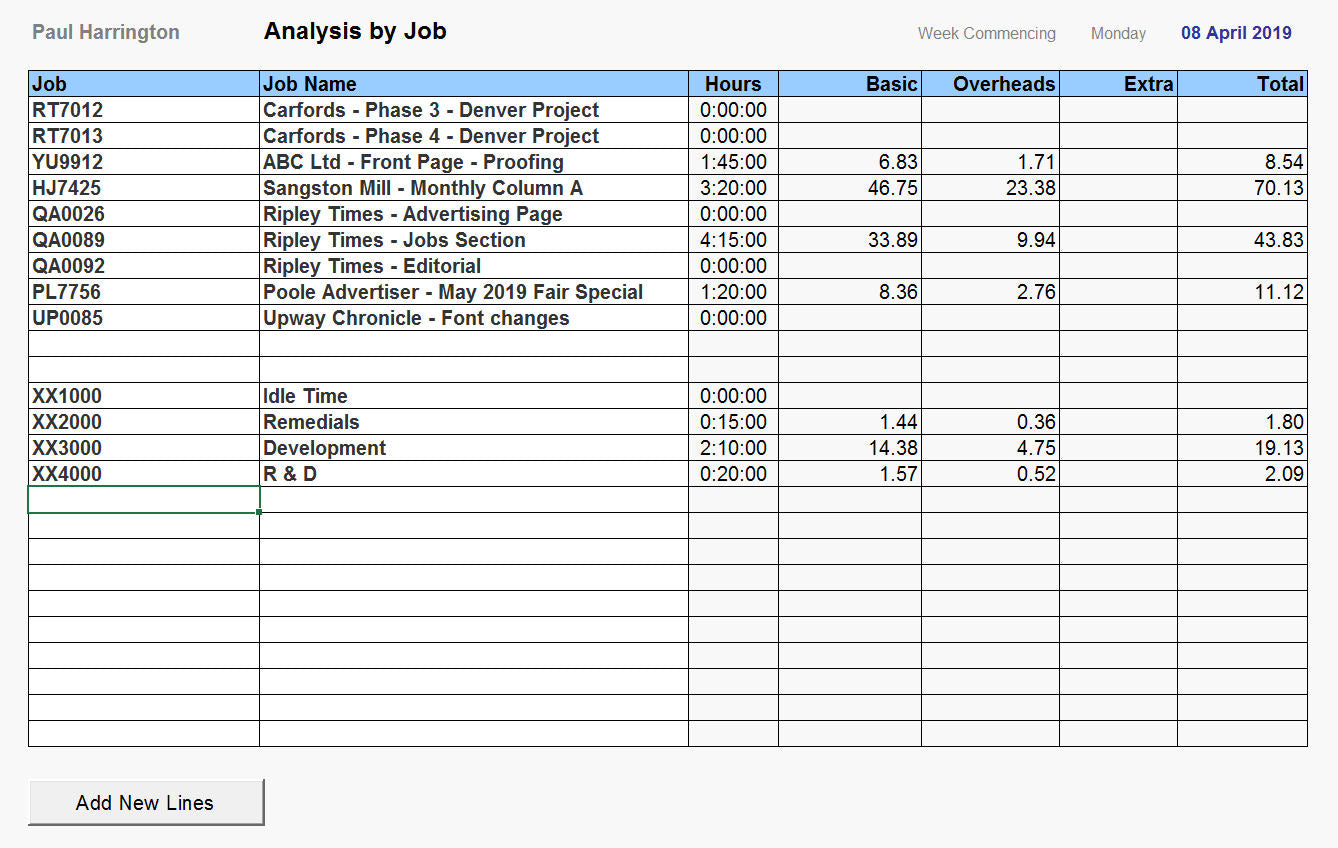
THE JOBS
To complete the Cost enter the details of the Jobs you are working on in the week (these can be pre-populated and saved as a template).
The time worked on each job in the week is automatically updated from your time sheet entries.
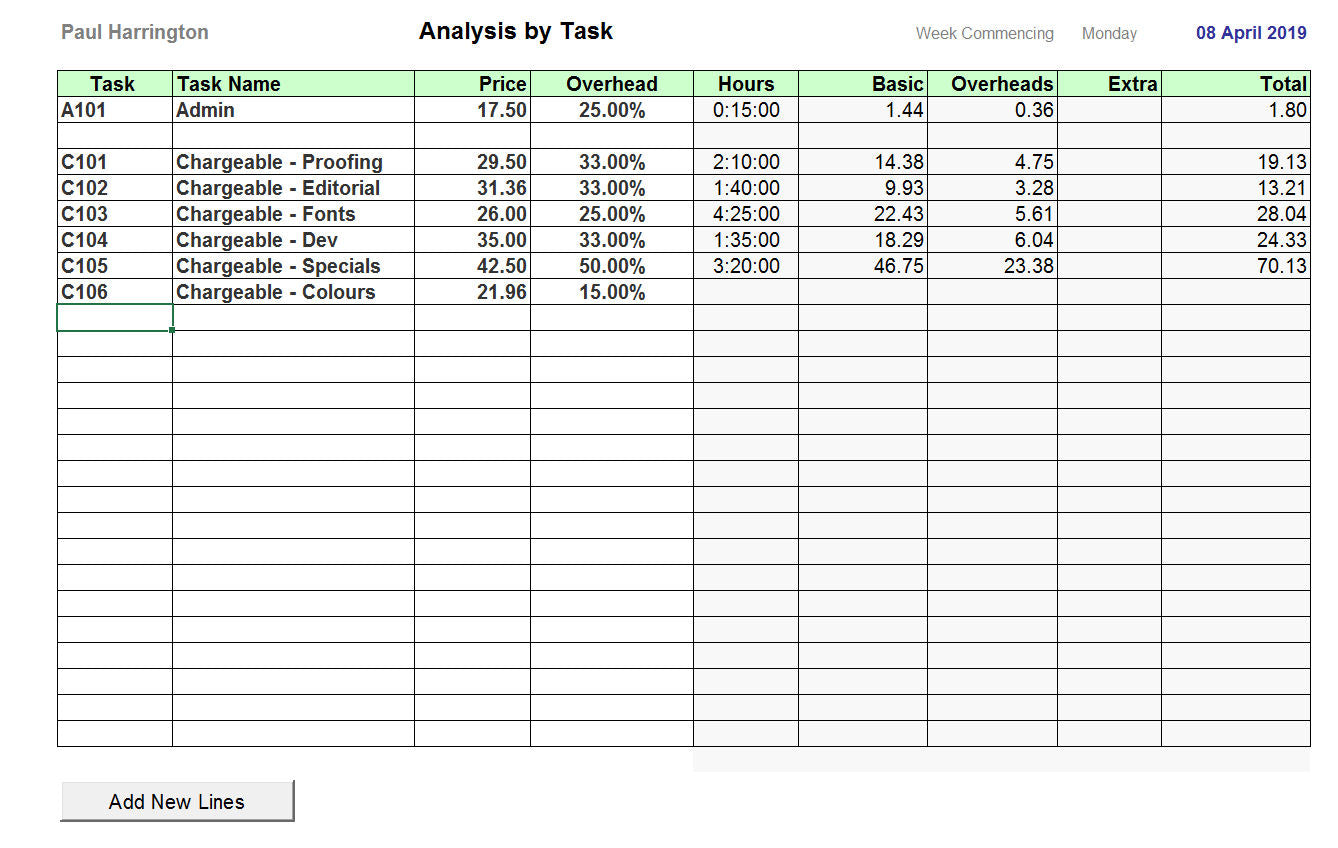
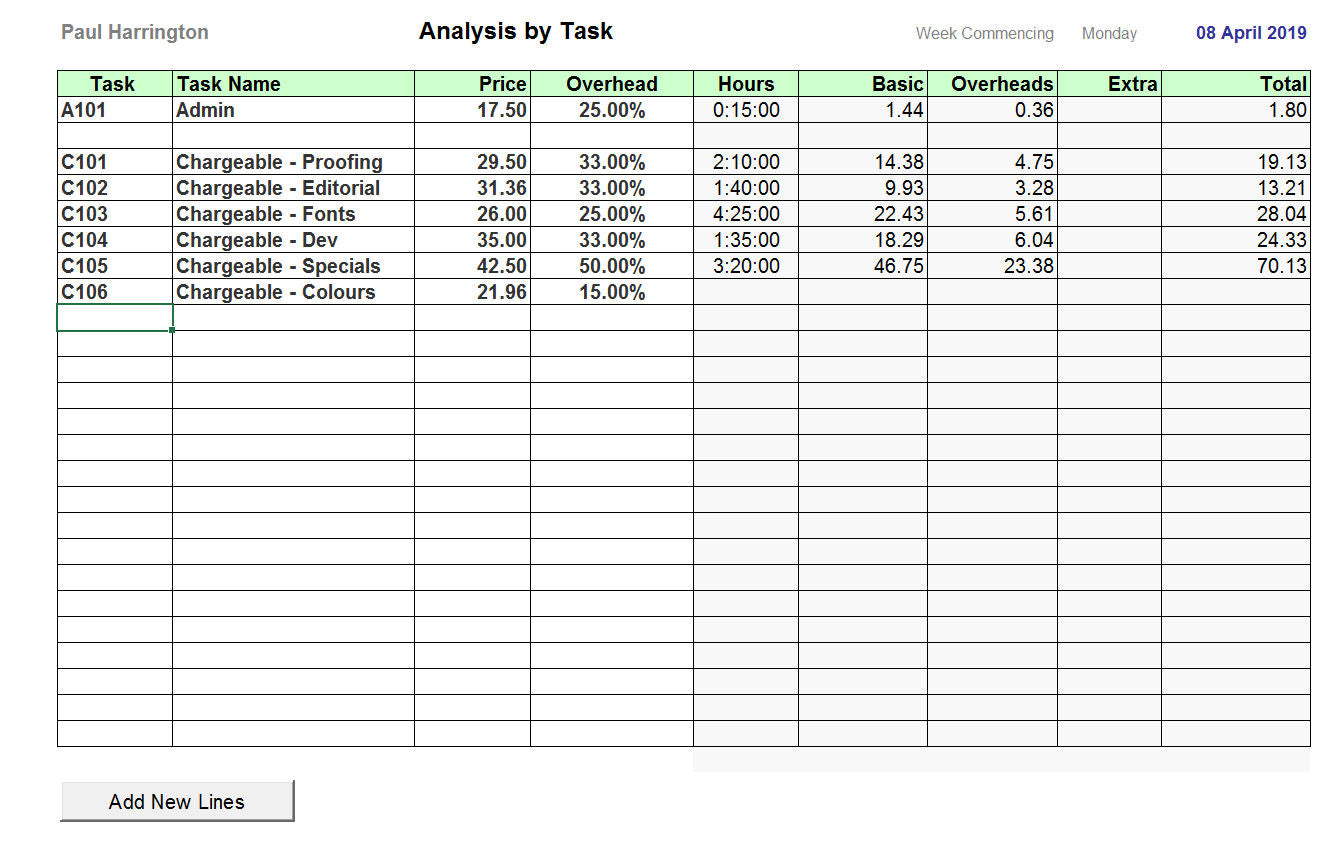
THE TASKS
As for Jobs above, enter the details of the Tasks you work on. The time per Task and the Cost/Pricing details are populated via entries on the time sheet.
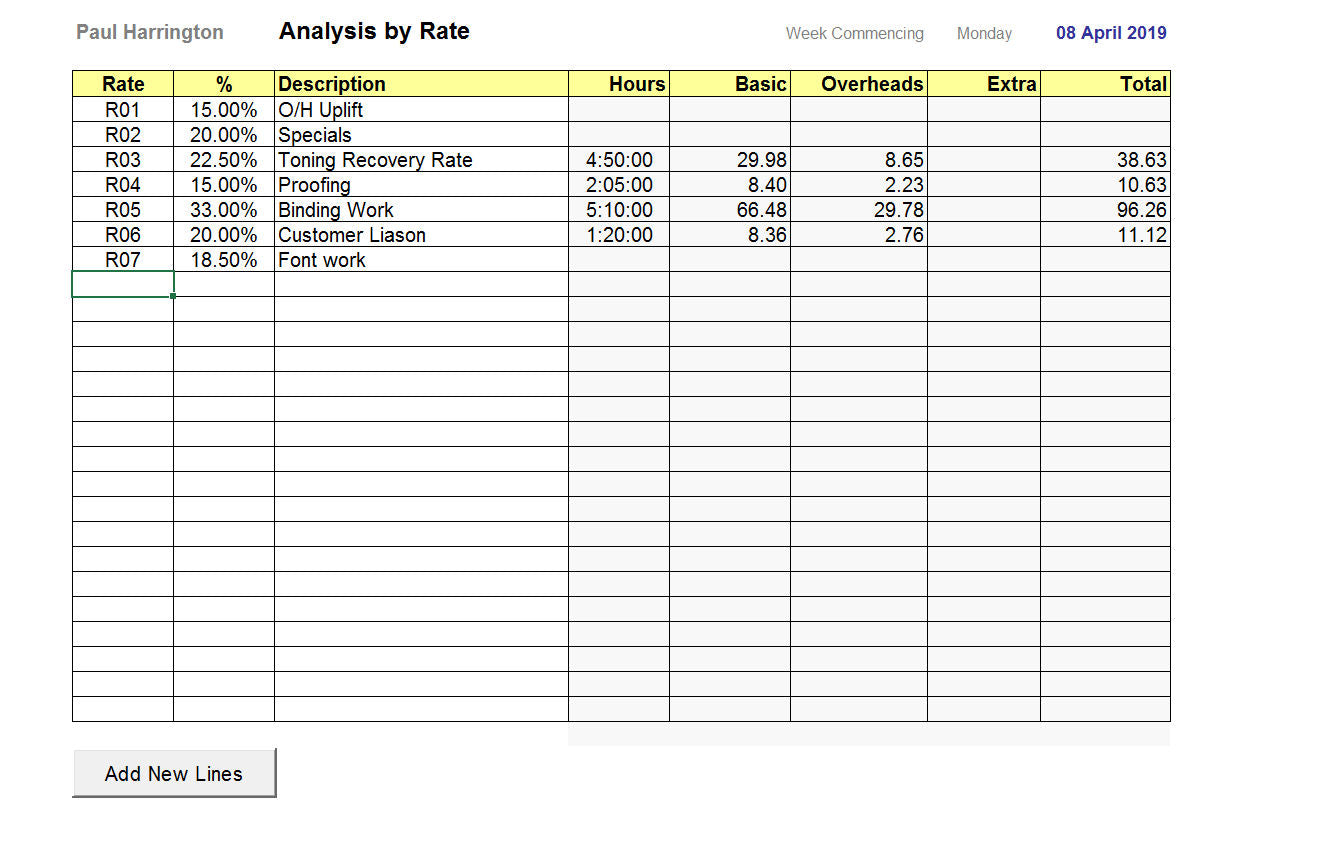
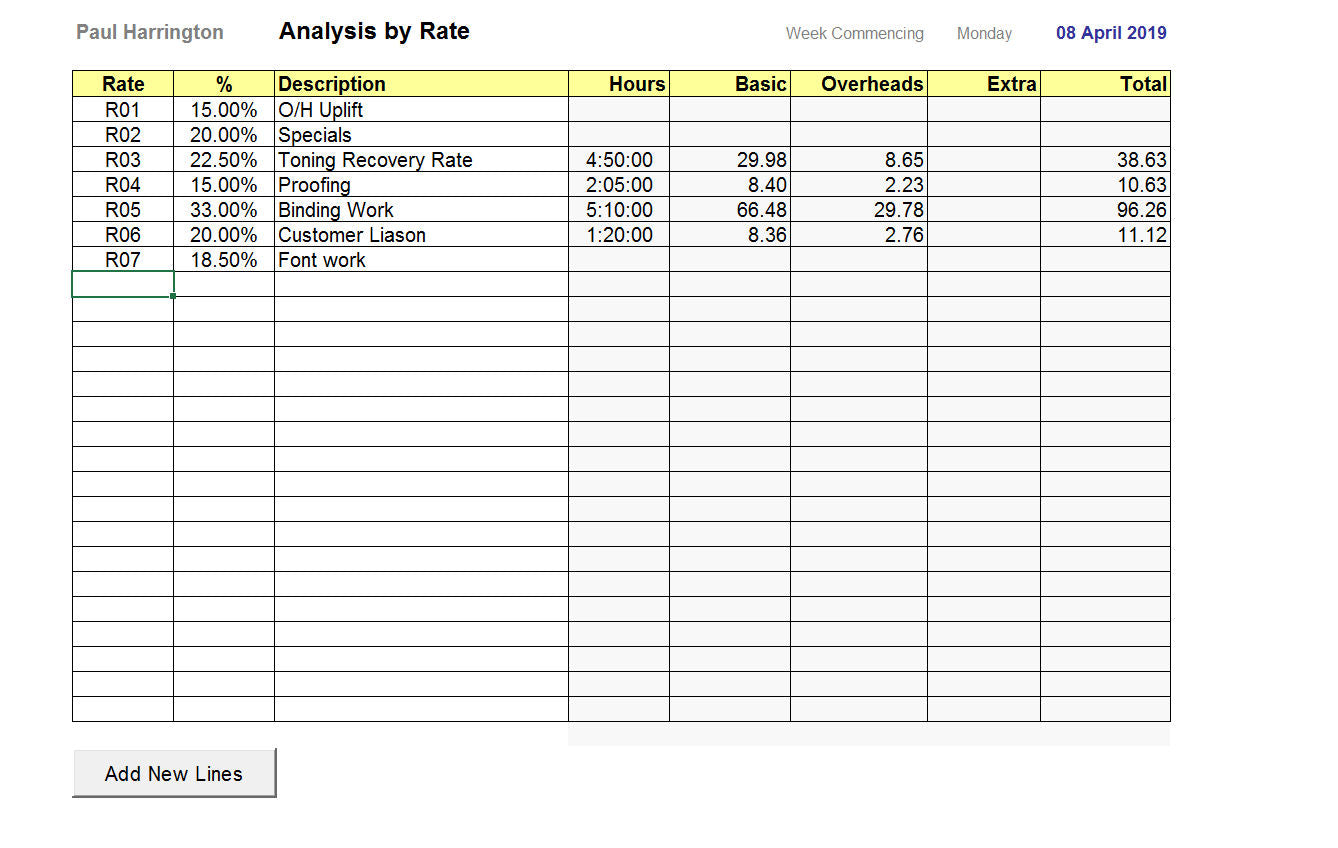
THE RATES
Simply input your Rates and the software automatically calculates your weekly time and Cost/Price Rate.
Additional information and small print
Mr. Spreadsheet is a registered trading name and division of Heron Accounting Services, Poole, Dorset. This software is protected by international copyright and is sold on a single-user license agreement for the use by the licensee or licensees business only. Unlawful copying and distribution will result in prosecution.We make no warranty or representation, either express or implied, with respect to this software and documentation, their quality, performance, merchantability, or fitness for a particular purpose. This software is licensed ‘as is’, and you, the licensee, by making use thereof, are assuming the entire risk as to their quality and performance. In no circumstances will we be held liable for direct, indirect, special, incidental or consequential damages arising out of the use or inability to use the software or documentation.